
How to Create a Professional AI LinkedIn Photo in Seconds: The Ultimate Guide
How to Create a Professional AI LinkedIn Photo in Seconds: The Ultimate Guide
In the digital-first professional world, your face is often your first introduction. Before a recruiter reads your resume, before a client reads your pitch, and before a potential partner looks at your credentials, they see your profile picture. In milliseconds, judgments are made about your competence, likeability, and trustworthiness.
Traditionally, securing a high-quality, studio-grade headshot meant booking a photographer, buying expensive suits, and spending hours in a studio. Today, the landscape has shifted entirely. The rise of the AI LinkedIn photo has democratized personal branding, allowing anyone to access executive-level imagery from the comfort of their home.
This guide will walk you through exactly how to leverage this technology to upgrade your professional image, specifically focusing on the easiest, most effective tool available: the Haimeta ID Photo Tool, created by Haimeta.
The Psychology of the LinkedIn Profile Picture
Why does a single image matter so much? According to LinkedIn data, profiles with photos receive 21 times more profile views and 9 times more connection requests than those without. But it isn't just about having a photo; it is about having the right photo.
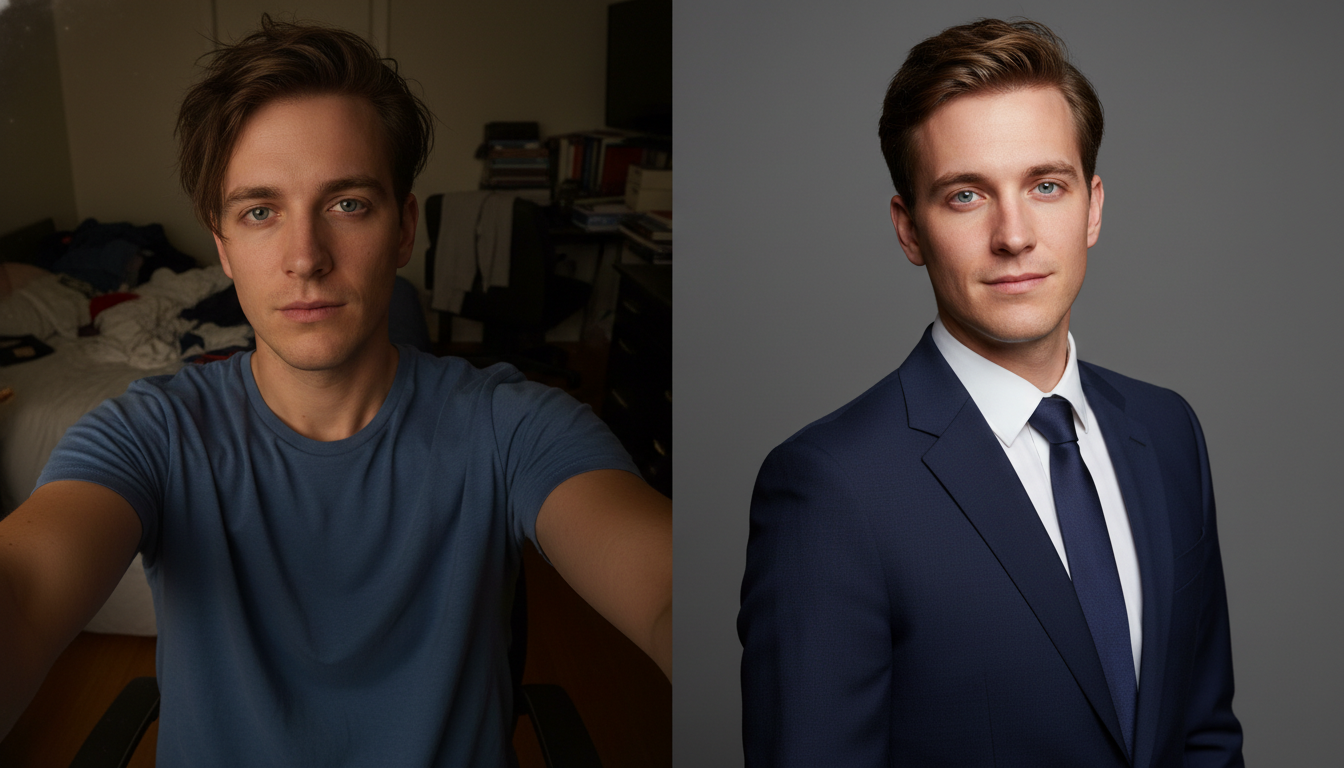
The "Recruiter's Gaze"
Recruiters and hiring managers spend an average of six seconds looking at a resume, but they often spend significantly longer scanning a LinkedIn profile. A grainy, poorly lit, or casual photo (like a cropped photo from a wedding or a car selfie) signals a lack of attention to detail. Conversely, a polished, professional headshot signals:
- Competence: You take your career seriously.
- Confidence: You are comfortable in a professional setting.
- Approachability: A warm smile and good lighting invite connection.
An AI LinkedIn photo bridges the gap between the casual photos you already have and the professional image you need to project.
The Traditional Barriers vs. The AI Solution
Before we dive into the "how-to," it is essential to understand why AI is becoming the preferred method for millions of professionals.
The Old Way: Traditional Photography
- High Cost: Professional headshot sessions can range from $200 to over $1,000 depending on the photographer's experience.
- Time-Consuming: You must schedule an appointment, travel to a studio, and spend hours shooting.
- Wardrobe Logistics: You need to own or rent professional attire (blazers, ties, formal blouses) and ensure they are pressed and fitted.
- Inconsistency: Even with a pro, if you are having a "bad hair day" or feel tired, the photos will reflect that.
The New Way: AI Generation
- Cost-Effective: Often a fraction of the price of a studio session, or even free depending on the platform.
- Instant Results: Generate photos in seconds.
- Unlimited Wardrobe: The AI handles the clothing. You can switch from a navy suit to a casual startup hoodie in a click.
- Optimized Lighting: AI models are trained on perfect studio lighting setups, ensuring your face is always illuminated correctly.
Introducing the Solution: Haimeta's AI Photo Tool
While there are many tools on the market, many require complex prompting or technical knowledge of AI concepts. However, the Haimeta ID Photo Tool created by Haimeta stands out for its simplicity and focus on realistic results.
The Core Promise: You do not need to be a prompt engineer. You do not need to understand algorithms. You simply need one photo and a preference for how you want to look.
Unlike other tools that might generate "artistic" or "cyborg-like" avatars, Haimeta focuses on photorealism. The goal is to create an image that looks exactly like you on your best day, wearing your best clothes, photographed by a top-tier professional.
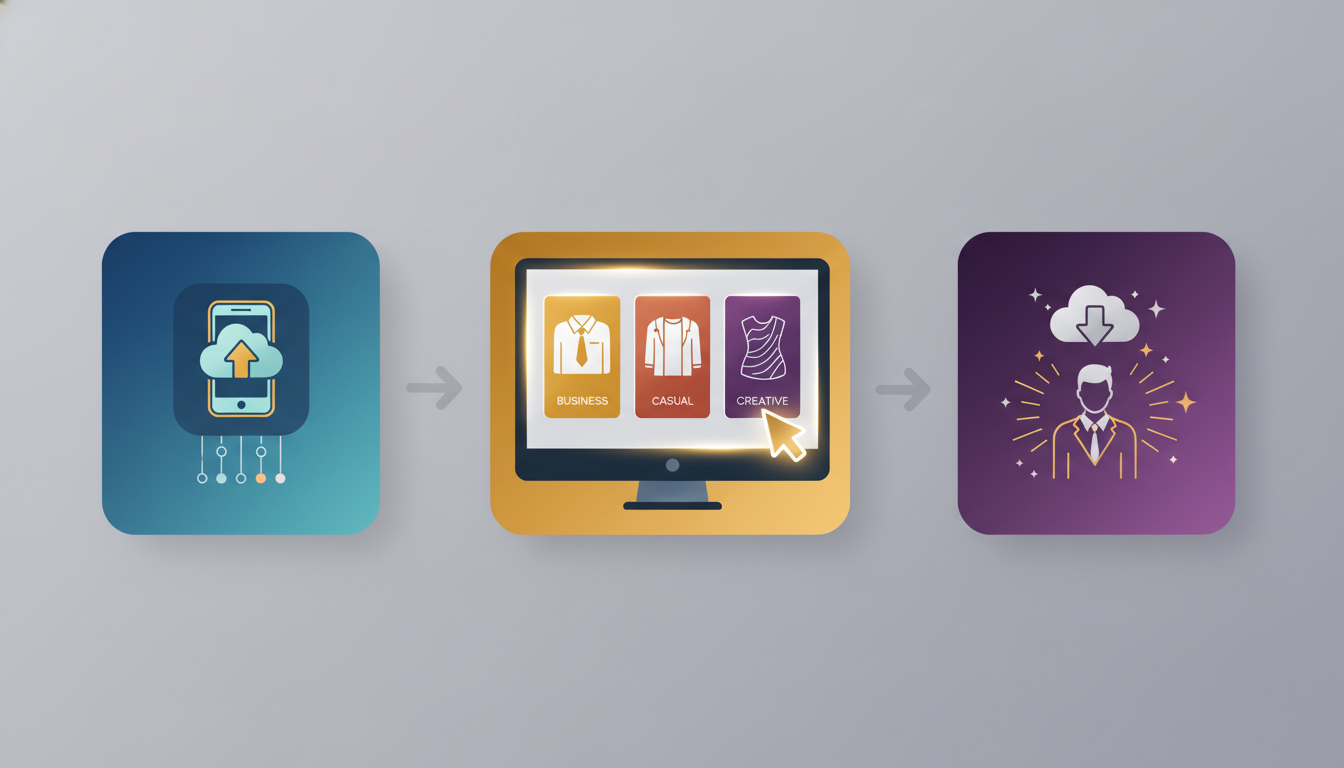
Step-by-Step Guide: Generating Your Perfect Headshot
Here is the comprehensive workflow to transforming your digital presence using Haimeta. The process is designed to be intuitive, stripping away technical barriers.
Step 1: Select Your Source Image
The magic starts with the photo you upload. While the AI is powerful, the quality of the output depends somewhat on the quality of the input. You don't need a professional photo, but you do need a clear one.
Guidelines for the Perfect Input:
- Front-Facing: Ensure your face is looking directly at the camera.
- Good Lighting: Avoid heavy shadows across your face. Natural window light is best.
- No Obstructions: Remove sunglasses, hats, or masks. Ensure hair isn't covering your eyes.
- Neutral Expression: A soft smile or a neutral expression works best. Avoid exaggerated grimaces or duck faces.
Step 2: Upload to Haimeta
Navigate to the Haimeta ID Photo Tool. The interface is clean and user-friendly. Click the upload button and select your chosen selfie or casual photo.
Step 3: Choose Your Template
This is the most critical step for tailoring your image to your specific industry. One of the strongest selling points of Haimeta is the template-based system. Instead of typing "man in suit," you visually select the style that fits your career goals.
Choosing the Right Style for Your Industry:
- Corporate / Finance / Law: Choose templates featuring dark suits, ties, crisp white shirts, and neutral grey or blue backgrounds. This signals authority and conservatism.
- Tech / Startups: Opt for "Smart Casual" templates—perhaps a polo shirt, a blazer with a t-shirt, or a simple button-down without a tie. This signals innovation and approachability.
- Creative / Design: Look for templates with softer textures, turtlenecks, or slightly warmer background tones. This signals personality and aesthetic awareness.
Step 4: Create and Download
Once the template is selected, the AI engine processes your facial features and seamlessly blends them onto the professional body and background of the template.
- The Transformation: The tool adjusts skin tones, lighting, and head positioning to ensure a natural composite.
- Review: Look at the result. Does it look like you? Is the neck transition natural?
- Download: Save the high-resolution image to your device.
Analyzing the Results: Before and After
To understand the value of an ai linkedin photo, visualize the transformation:
| Feature | Before (Original Upload) | After (Haimeta Generation) |
|---|---|---|
| Attire | Old t-shirt or pajamas | Tailored Navy Blue Suit |
| Background | Messy living room or car seat | Clean, gradient studio grey |
| Lighting | Yellow uneven indoor bulb | Soft, balanced "Rembrandt" lighting |
| Vibe | Casual, unprepared | Executive, polished, ready |
The tool effectively strips away the "noise" of your amateur photo and replaces it with "signal"—professionalism.
Best Practices for Using Your AI Photo
Once you have generated your image using the Haimeta ID Photo Tool, follow these tips to maximize its impact on LinkedIn.
1. Crop Correctly
LinkedIn profile photos are circular. Ensure your face takes up about 60% of the frame. You want to be recognizable even on a small mobile screen.
2. Match the Background Header
Your profile photo sits on top of a background banner image. If your AI photo has a cool blue background, try to choose a banner image that complements that color palette rather than clashes with it.
3. A/B Testing
Because generating photos with Haimeta is so fast and easy, don't stop at one. Generate three different versions:
- One strictly formal.
- One approachable/smiling.
- One neutral.
Rotate these images every few months or ask a trusted colleague which one makes you look most competent. Data shows that changing your profile picture occasionally can boost profile visibility as your network is notified of the update.

Common Mistakes to Avoid
While AI is powerful, human error can still occur. Watch out for these pitfalls:
- Over-Smoothing: Ensure the result doesn't look too perfect. You still want to look human. If the AI removes every single wrinkle or pore, it might look fake. Haimeta acts to preserve natural facial geometry to avoid this.
- Inconsistent Ages: Don't upload a photo of yourself from 10 years ago to generate a current LinkedIn photo. Use a recent selfie so that when you meet people in person (or on Zoom), they recognize you.
- Wrong Industry Fit: Don't use a tuxedo template if you are applying for a job as a construction manager. Dress for the job you want, not the most formal job available.
Conclusion: Upgrade Your Personal Brand Today
Your LinkedIn profile is your 24/7 digital representative. In a competitive job market, you cannot afford to have a representative that looks sloppy or unprepared.
The barrier to entry for a professional headshot has been completely removed. You no longer need money, time, or a wardrobe department. You simply need the Haimeta ID Photo Tool.
By uploading a single image and selecting a template, you can generate a professional asset that elevates your perceived value in the marketplace. Stop settling for that cropped selfie from your last vacation. Take control of your career narrative with a professional AI LinkedIn photo today.
Ready to transform your profile? Visit Haimeta and create your new headshot now.