
How to Convert Any Photo to HD Quality in 2026: Step-by-Step Guide + Common Mistakes to Avoid
The Ultimate 2026 Guide: How to Upscale Image to 4K Without Losing Details
Welcome to 2026, a year where visual clarity is no longer a luxury but an absolute necessity. Whether you are a professional photographer, a small business owner, or simply someone trying to preserve cherished memories, the quality of your images matters more than ever. If you have ever looked at a beautifully composed photograph only to realize it is blurry, pixelated, or simply too small to print or share, you are not alone. Fortunately, the days of settling for subpar image quality are behind us. Today, you can easily upscale image to 4K resolution effortlessly.
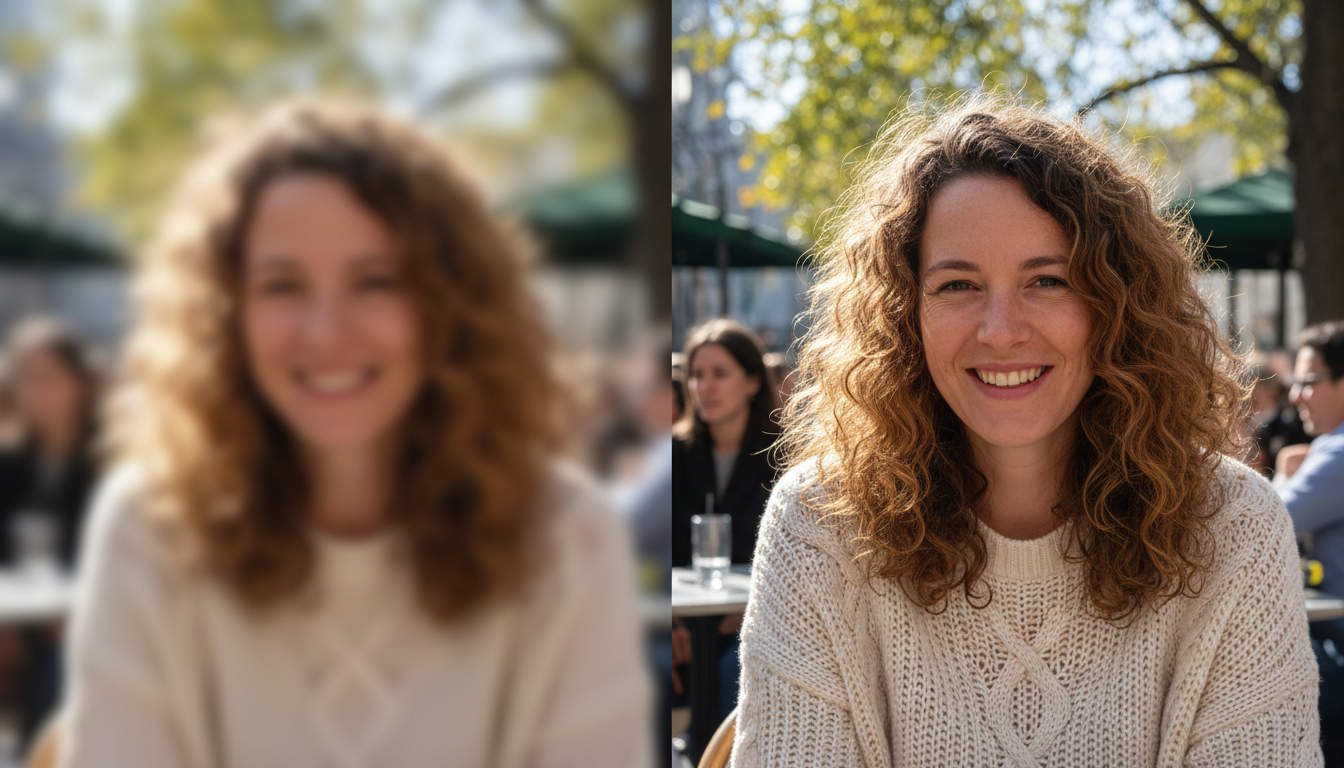
In this comprehensive guide, we will explore why high-definition visuals are essential, how you can transform your low-resolution photos into breathtaking 4K masterpieces with just a single click, and why preserving the original details of your images is the most critical part of the process. We will bypass the complicated technical jargon and focus on exactly what you need: actionable steps to achieve perfect, crystal-clear results.
Why You Need to Upscale Images to 4K in 2026
As we navigate through 2026, the screens we use daily—from our smartphones and tablets to massive living room televisions and outdoor digital billboards—have evolved tremendously. Standard high definition is no longer the benchmark; 4K and even 8K displays are the norm. When you view a low-resolution image on a modern screen, every flaw, jagged edge, and blurry patch is magnified.
1. Superior Viewing Experiences on Modern Devices
If you share a low-quality image on social media or a website, modern displays will stretch that image to fit the screen. This stretching process inherently ruins the visual experience, leaving the viewer underwhelmed. When you upscale image to 4K, you ensure that your photo looks pristine, sharp, and professional, no matter what device your audience is using.
2. The Power of Perfect Prints
Digital screens aside, printing photos still holds a special place in our lives and businesses. From creating large canvas prints for your home decor to designing striking marketing materials like posters and brochures, print demands high resolution. A standard web image will print as a blurry mess. Upscaling provides the sheer volume of pixels required for crisp, vibrant, and highly detailed physical prints.
3. Professionalism and Credibility
In the business world, visuals dictate consumer trust. If your e-commerce store features grainy product photos, potential customers will likely associate that lack of quality with the product itself. Upgrading your visual assets to flawless 4K immediately boosts your brand's credibility and perceived value.
The Challenge: Upscaling Without Losing Original Details
For years, trying to enlarge an image was a frustrating endeavor. Older software programs simply stretched the existing pixels and attempted to fill in the gaps. The result? A larger image that looked artificial, plastic-like, and stripped of its original charm. Textures like human skin, animal fur, or the delicate petals of a flower would become unnaturally smooth or distorted.
When we talk about upgrading a low-definition original image to 4K today, the primary goal is completely different. The focus is on lossless enhancement. This means that while the image becomes larger and significantly clearer, every single original detail remains intact. The subtle lighting, the exact color tones, and the fine textures are preserved and amplified, rather than washed away.
Introducing Your Go-To Solution for Flawless 4K Images
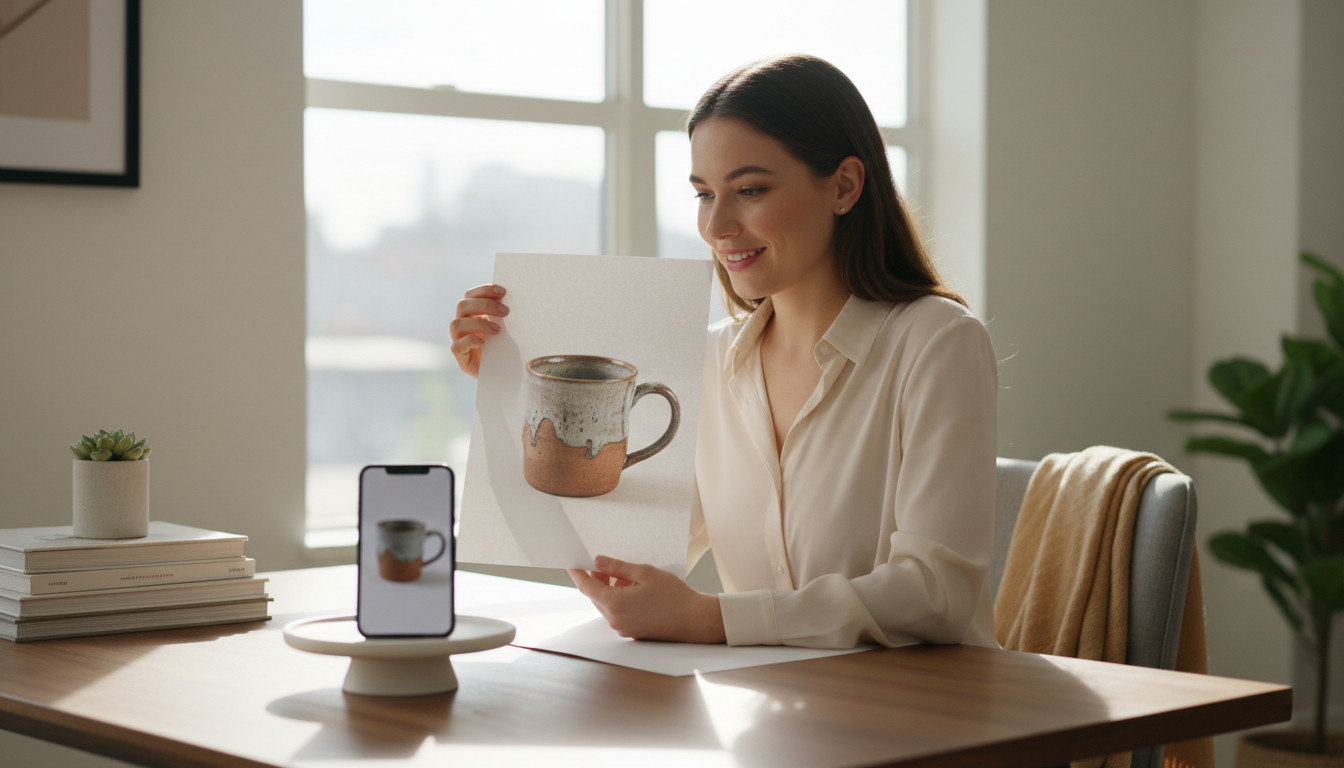
You do not need to be a graphic design expert or spend hours learning complicated software to achieve these stunning results. The process has been simplified to its most basic form: upload and transform.
For this task, we highly recommend utilizing the premier solution in the market. Haimeta Image Enhancer created by Haimeta is designed specifically to solve the resolution problem instantly.
The core selling points are wonderfully simple:
- One-Click Upload: No complicated settings, sliders, or menus. You simply select your photo.
- Instant 4K Transformation: The system effortlessly upgrades your low-resolution original directly to a massive 4K output.
- Zero Detail Loss: It meticulously retains the original details of your photo. A portrait keeps its natural skin texture; a landscape keeps its crisp foliage.
Step-by-Step Guide: How to Upscale Image to 4K
Ready to breathe new life into your photos? Follow these straightforward steps to transform your visuals.
Step 1: Select the Perfect Image
First, identify the image you want to enhance. This could be an old family photograph you scanned, a picture sent to you via a messaging app (which often compresses and ruins image quality), or a product shot that just isn't sharp enough. Make sure you have the file easily accessible on your device.
Step 2: Navigate to the Enhancer
Head over to the Haimeta Image Enhancer created by Haimeta. You will be greeted by a clean, user-friendly interface that requires absolutely no technical background to navigate.
Step 3: Upload Your Photo
Click the upload button or drag and drop your image directly onto the page. You don't need to configure any confusing parameters or read through manuals. The system is designed to understand exactly what your image needs.
Step 4: Watch the Transformation
Within moments, your image is processed. The original low-quality file is expanded, sharpened, and refined into a stunning 4K masterpiece.
Step 5: Download and Enjoy
Once the process is complete, simply click the download button. You now possess a brilliant, high-definition version of your photo, with every original detail perfectly preserved and enhanced. It is now ready for printing, professional use, or sharing on the highest-resolution displays.
Real-World Scenarios: When to Use 4K Upscaling
Understanding how to upscale an image is only half the journey; knowing when to use this powerful tool can transform your daily life and workflows. Here are some common real-world scenarios where upscaling to 4K is an absolute game-changer.
Restoring Cherished Memories
We all have older digital photos from the early 2000s or 2010s. Back then, camera resolutions were incredibly low compared to the 2026 standards. When you try to view a photo of a childhood pet or a family vacation from 15 years ago on a modern screen, it looks like a mosaic. By upscaling these precious memories to 4K, you restore the clarity of that moment, allowing you to print it on a large canvas and hang it proudly in your living room.
Elevating E-commerce and Small Business Marketing
If you run an online store, your photos are your storefront. Customers cannot touch or feel your products, so they rely entirely on visual clarity to make purchasing decisions. If a supplier provides you with a low-resolution image, or if you had to crop a photo heavily to focus on a specific feature, you can easily upscale the image to 4K. This ensures that customers can zoom in and see the fine stitching on a garment, the texture of a piece of jewelry, or the exact finish of a piece of furniture.
Saving Heavily Cropped Photos
Sometimes, the perfect shot is just a small part of a larger photograph. When you crop into a photo to focus on a specific subject—like a bird in the distance or a smiling face in a crowd—you throw away thousands of pixels, resulting in a tiny, blurry image. Upscaling that cropped section restores it to full 4K glory, turning a small fragment of a photo into a standalone, high-quality portrait.
Common Mistakes to Avoid When Enhancing Photos
While the process is incredibly straightforward, there are a few tips to keep in mind to ensure you get the absolute best results possible.
- Do Not Over-Edit Before Upscaling: It is generally best to upload your raw, unedited low-resolution photo. If you apply heavy filters, artificial sharpening, or extreme color adjustments before upscaling, you might inadvertently distort the natural details. Upscale first, then apply your creative edits to the high-definition result.
- Avoid Repeated Compression: Every time you send an image through standard messaging apps or save it as a low-quality JPEG, you introduce "artifacts" (blocky, blurry spots). Try to use the highest quality original file you have available before upscaling.
- Don't Overthink It: You don't need an expensive suite of professional tools. Stick to dedicated, straightforward enhancers that are purpose-built for this exact job.
Frequently Asked Questions (FAQ)
To ensure you have all the information you need in 2026, let's address some common questions regarding image upscaling.
Can I upscale any type of image to 4K? Yes! Whether it is a portrait, a sweeping landscape, a macro shot of food, or a product photograph, the upscaling process adapts to the content of the image, ensuring that natural details are maintained regardless of the subject matter.
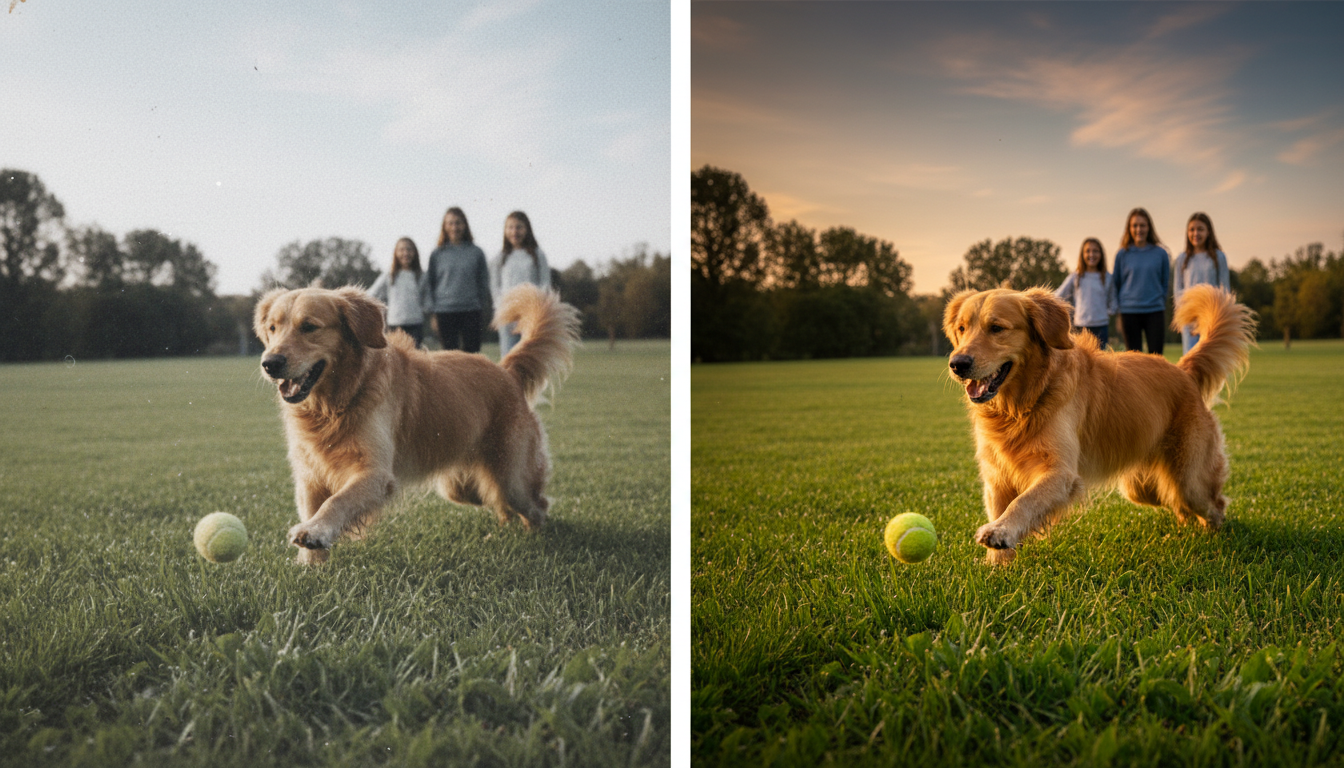
Will upscaling change the colors or lighting of my photo? No. The primary selling point of a high-quality upscaler is that it is completely lossless regarding the original artistic intent. The colors, contrast, and lighting remain exactly as they were; they are simply presented with far greater clarity and sharpness.
Do I need a powerful computer to do this? Not at all. Because the process is handled directly through the browser using advanced web-based platforms, your device's hardware does not matter. You can achieve professional 4K results whether you are on a high-end desktop or a standard mobile phone.
Conclusion
As we fully embrace the visual standards of 2026, there is simply no excuse for settling for blurry, low-resolution photographs. The ability to upscale image to 4K effortlessly has revolutionized how we interact with our digital media.
Remember, the goal is not just to make an image larger; it is to make it infinitely better while strictly preserving the beautiful, original details that made the photo special in the first place. Whether you are preserving family history, boosting your professional portfolio, or creating stunning wall art, crystal-clear 4K resolution is now just one click away.
Experience the magic of effortless, lossless high-definition transformation today. Upload your favorite low-resolution picture and see the breathtaking before-and-after difference for yourself!