
Unwatermark Review: The Professional Solution to Restore Image Integrity
Unwatermark Review: The Professional Solution to Restore Image Integrity
In the fast-paced world of digital content creation, visual clarity is paramount. Whether you are an e-commerce manager, a real estate agent, or a graphic designer, the presence of unwanted watermarks, timestamps, or distracting text overlays can render a perfect photograph unusable. The traditional methods of removing these obstructions—painstaking manual editing or using complex software—are often time-consuming and destructive to the image's quality.
Enter the modern solution: Unwatermark, a specialized tool created by Haimeta. This innovative platform has revolutionized how professionals approach image restoration by leveraging advanced artificial intelligence to automatically identify and eliminate watermarks while rigorously maintaining the integrity of the original picture.
This article serves as a comprehensive review and guide on how to unwatermark your visual assets efficiently, ensuring your workflow remains uninterrupted and your output remains pristine.
The Visual Economy and the Watermark Problem
Before diving into the solution, it is essential to understand the scale of the problem. In the visual economy, the difference between a high-conversion product listing and a skipped page often comes down to image quality. Watermarks, while useful for copyright protection during the proofing phase, become significant hurdles when you have acquired the rights to an image but only possess a stamped version, or when restoring legacy company assets where the clean files have been lost.
The Cost of Manual Restoration
Historically, removing a watermark was a skill reserved for experienced retouchers. It involved:
- Pixel-by-pixel cloning: Manually copying texture from one part of the image to cover the watermark.
- Blurring techniques: Often resulting in smudged areas that look unprofessional.
- Color correction: Trying to balance the lighting in the edited area.
This process could take anywhere from 15 minutes to an hour per image. For a business handling hundreds of SKUs or a marketing agency managing multiple campaigns, this time cost is unsustainable. Furthermore, manual editing often leaves "scars" on the image—visible distortions that signal to the viewer that the image has been altered.
Introducing Unwatermark by Haimeta
The Unwatermark module created by Haimeta addresses these specific pain points with a focus on simplicity and quality. Unlike complex photo editing suites that require a steep learning curve, this tool is designed for immediate utility.
Core Selling Point: Intelligent Automation
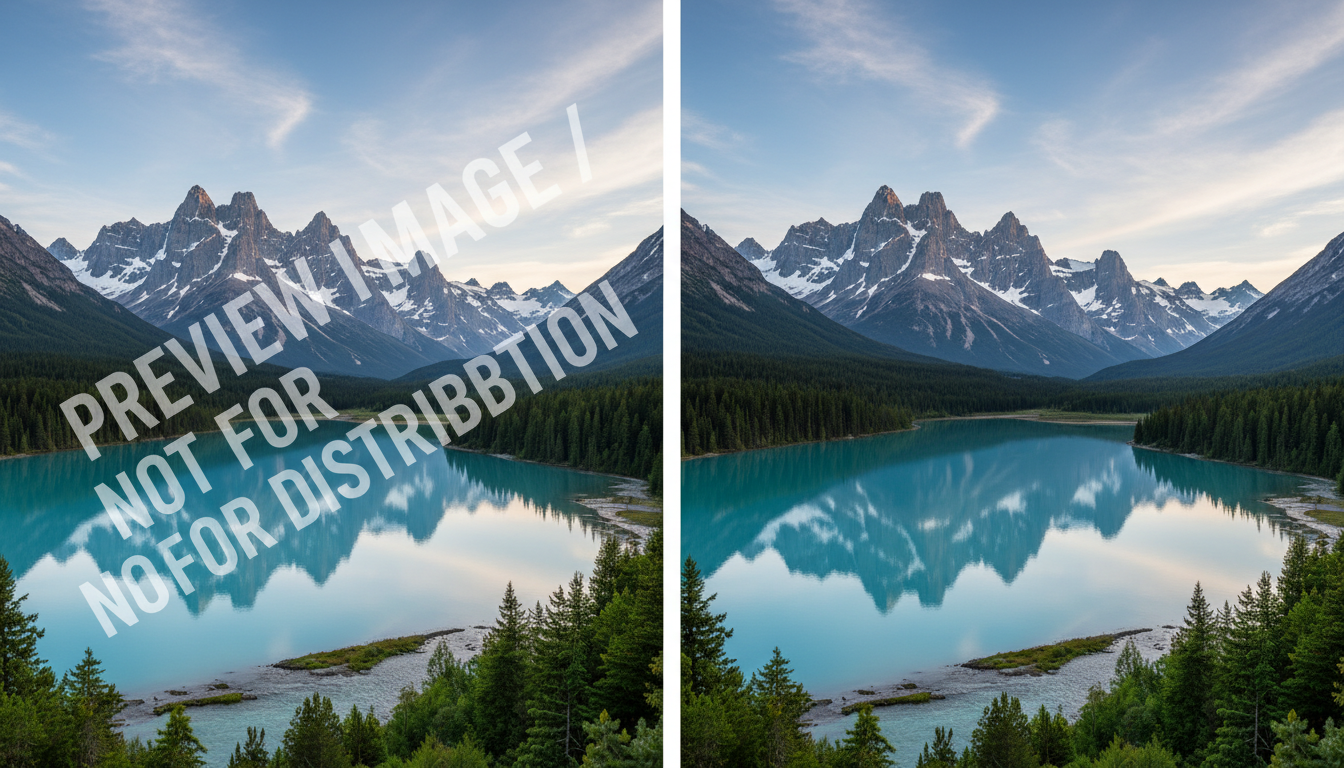
The standout feature of this tool is its ability to function without manual masking or complex user input. The core selling point is simple yet powerful: Just upload the picture, and the AI will automatically identify the watermark content and eliminate it, keeping the original picture intact.
This "upload and go" philosophy separates it from tools that require users to highlight every letter or symbol manually. The system is calibrated to distinguish between the subject of the photo (which must be preserved) and the overlay (which must be removed).
Deep Dive: Key Features and Capabilities
To understand why this specific tool is preferred by professionals, we must look at its capabilities in depth. It is not just about erasing pixels; it is about reconstruction.
1. Context-Aware Restoration
When a watermark is removed, there is a "hole" left in the digital data of the image. A poor tool fills this hole with a solid color or a blur. Unwatermark, however, analyzes the surrounding pixels—texture, lighting, and pattern—to generate a seamless fill.
- Texture Matching: If the watermark is over a brick wall, the tool generates brick texture to replace it.
- Gradient Preservation: If the watermark sits on a sunset sky, the color gradient remains smooth without banding.
- Edge Definition: Sharp lines passing behind a watermark are reconnected accurately.
2. Batch Efficiency for Commercial Use
While the tool is excellent for single images, its speed makes it viable for commercial workflows. You do not need to pause and configure settings for every single image. The automatic recognition means you can process assets quickly, significantly reducing the "time-to-market" for creative assets.
3. Preservation of Image Integrity
Perhaps the most critical aspect is what the tool doesn't do. It does not degrade the overall resolution of the file. Many online tools compress images heavily upon export, resulting in pixelation. This tool focuses on maintaining the original fidelity, ensuring that the unwatermarked image is print-ready or suitable for high-definition web displays.
Real-World Use Cases
Who benefits most from the ability to unwatermark images effectively? The utility spans across various industries.
E-Commerce and Retail
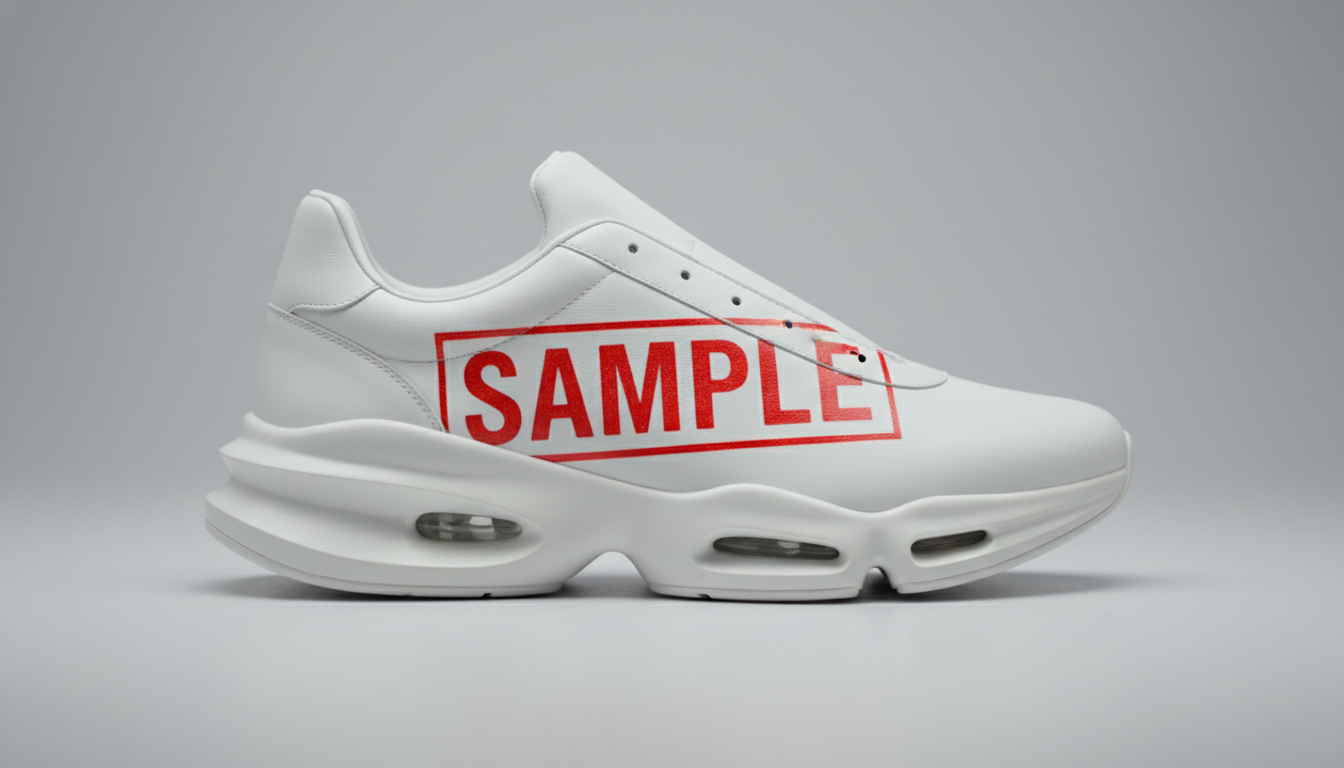
Online retailers frequently receive product images from manufacturers that may contain date stamps, "sample" text, or unwanted camera overlays. Presenting these to customers looks unprofessional and lowers trust.
- Scenario: A furniture retailer receives a photo of a sofa with a manufacturer's timestamp in the corner.
- Solution: Using the tool, the timestamp is removed instantly, leaving the floor texture perfectly intact. The image is ready for the website immediately.
Real Estate Photography
Property listings rely heavily on visuals. Often, photographers watermark their proofs for client selection. Once the selection is made and rights are transferred, the agent needs clean copies instantly to upload to MLS listings.
- Scenario: An exterior shot of a house has a semi-transparent logo across the sky.
- Solution: The AI detects the logo against the complex backdrop of clouds and rooflines, removing it without creating a "smudge" in the sky.
Archival and Restoration
Historians, librarians, and families often deal with digitized photos that have been marred by digital stamps added by scanning software or old cameras (e.g., the bright orange date stamps from the 90s).
- Scenario: A precious family photo has a bright orange date stamp covering a relative's clothing.
- Solution: The tool removes the date and intelligently reconstructs the pattern of the clothing underneath.
How to Use the Tool: A Simplified Workflow
Navigating Unwatermark is designed to be frictionless. Here is how a typical professional workflow looks:
- Access the Platform: Navigate to the module via Haimeta.
- Upload the Asset: Drag and drop your image file. High-resolution files are supported.
- Automatic Processing: This is where the magic happens. You do not need to select the "lasso tool" or paint over the watermark. The system analyzes the layer stack visually.
- Review and Download: Within moments, the clean image is presented. You can compare it to ensure the integrity is maintained before downloading the final asset.
Note: The simplicity of this process reduces the training requirement for staff. You do not need a senior graphic designer to perform this task; any team member can achieve professional results.
Comparison: AI Automation vs. Manual Editing
To further illustrate the value, let’s compare the two approaches directly.
| Feature | Manual Editing (Photoshop) | Unwatermark (AI Tool) |
|---|---|---|
| Time per Image | 10–30 Minutes | Seconds |
| Skill Required | High (Expertise needed) | None (Automated) |
| Consistency | Varies by user fatigue | Consistent high quality |
| Background Complexity | Difficult to handle complex patterns | Context-aware reconstruction |
| Cost | Expensive (Labor hours) | Cost-effective |
Maintaining Ethical Standards
While the ability to unwatermark images is a powerful capability, it is vital to touch upon the professional ethics of using such tools. This technology is intended for:
- Cleaning up images you own or have licensed.
- Removing distracting camera timestamps.
- Restoring lost original files where only proofs remain.
- Preparing legally acquired stock assets for final production.
It is always recommended to ensure you have the appropriate rights to modify and use the images you are processing. The tool is a facilitator of workflow, not a bypass for copyright laws.

Conclusion: The Future of Clean Visuals
The demand for high-quality, distraction-free imagery is higher than ever. Whether for social media, print advertising, or digital archives, the integrity of your images speaks volumes about your brand's professionalism.
Unwatermark created by Haimeta offers a robust, efficient, and high-quality solution to one of the most persistent annoyances in digital imaging. By automating the removal of watermarks and ensuring the preservation of the original image's details, it frees up creatives to focus on what truly matters: the message and the aesthetic.
Stop wasting hours on manual cloning and healing brushes. Experience the seamless efficiency of AI-powered restoration and ensure your visual content is always picture-perfect.
Ready to clean up your visual assets? Try Unwatermark today.
Explore More About Unwatermarking Images
Looking to dive deeper into AI-driven image restoration? For more in-depth guides, professional reviews, and tips on how to effectively unwatermark your digital assets, check out our comprehensive series below:
- How to Unwatermark Images: The Ultimate Professional AI Guide
- How to Unwatermark Images Instantly: A Professional Guide to Cleaner Visuals
- Unwatermark Review: The Professional Solution to Restore Image Integrity
- The Art of Visual Clarity: How to Unwatermark Images and Reclaim Your Digital Assets
- The Ultimate Guide to Unwatermark Images: AI Automation vs. Manual Editing