
How to Create Cinematic Film & TV Style Videos with Seedance 2.0
How to Create Cinematic Film & TV Style Videos with Seedance 2.0
Office documentary, typography animation, fisheye narrative — the film production toolkit built into Seedance 2.0.
Professional video production draws from a deep visual vocabulary: tracking shots, title sequences, fisheye perspectives, voice-matched narration. Seedance 2.0 on Haimeta brings these techniques into AI video generation through its film and TV production template category.
This guide covers four cinematic production use cases — from real estate documentary to fantasy character film — with the exact prompt structures that generate professional-grade results.
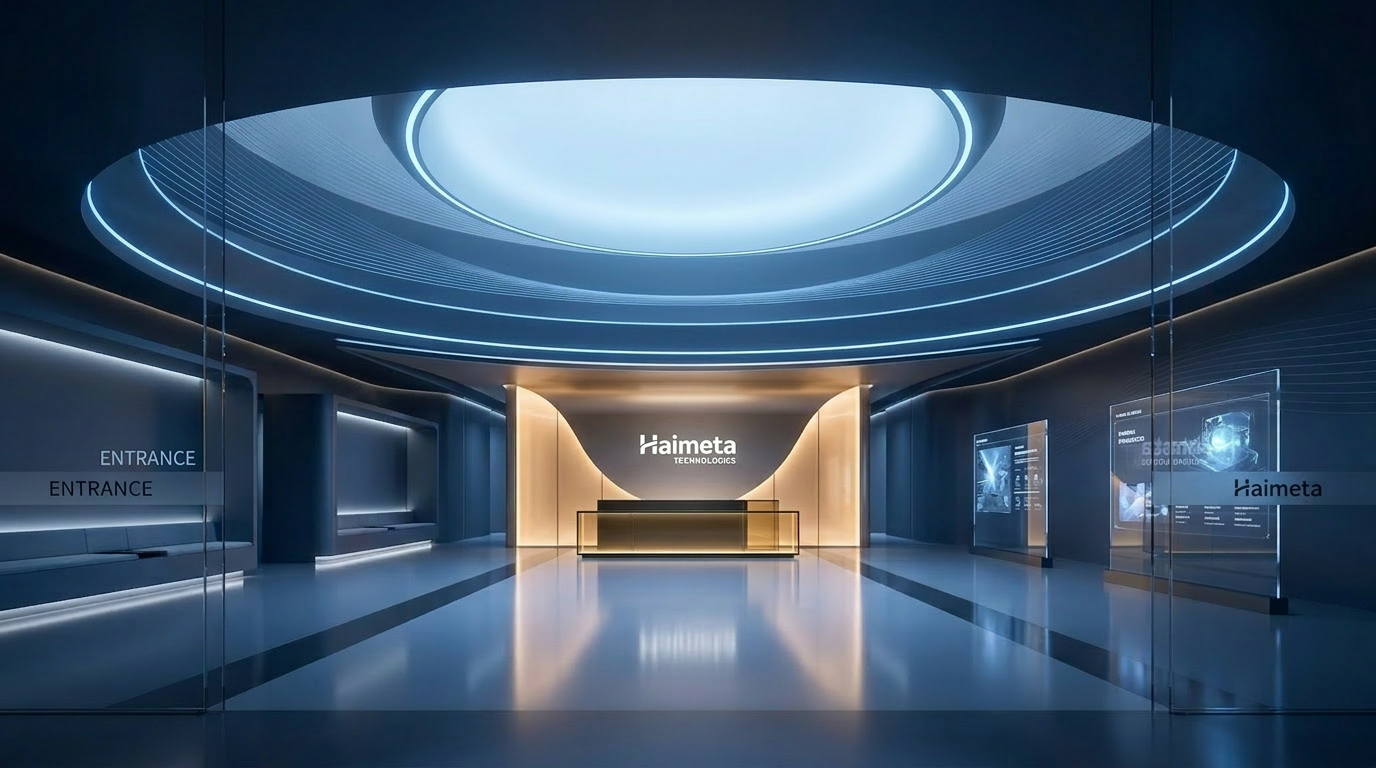
Use Case 1: Real Estate / Corporate Documentary
This template is designed for property developers, commercial real estate firms, and corporate brand content. It generates a 15-second cinematic documentary segment from promotional photos.
The Brief
Generate a 15-second film-level real estate documentary from office building promotional photos. Style: cinematic realism, 2.35:1 widescreen, 24fps. Narration tone matched to a reference audio clip. Subject: "the ecology of the office building" — showing how different companies within the building operate and interact as a vibrant commercial ecosystem.
How to Set It Up
Input required:
- 1–3 promotional photos of the building (interior or exterior)
- 1 audio reference clip for narration tone (optional but recommended)
Prompt formula:
"Based on the office building promotional photos provided, generate a 15-second film-level real estate documentary. Use a 2.35:1 widescreen ratio, 24fps, and a refined, detailed picture style. The narration tone references [Audio 1]. Subject: 'the ecology of the office building' — presenting the operations of different companies in the building, and using narration to explain how the office building has become a vibrant business ecosystem."
Settings: Fast/2.0, 16:9, 15s
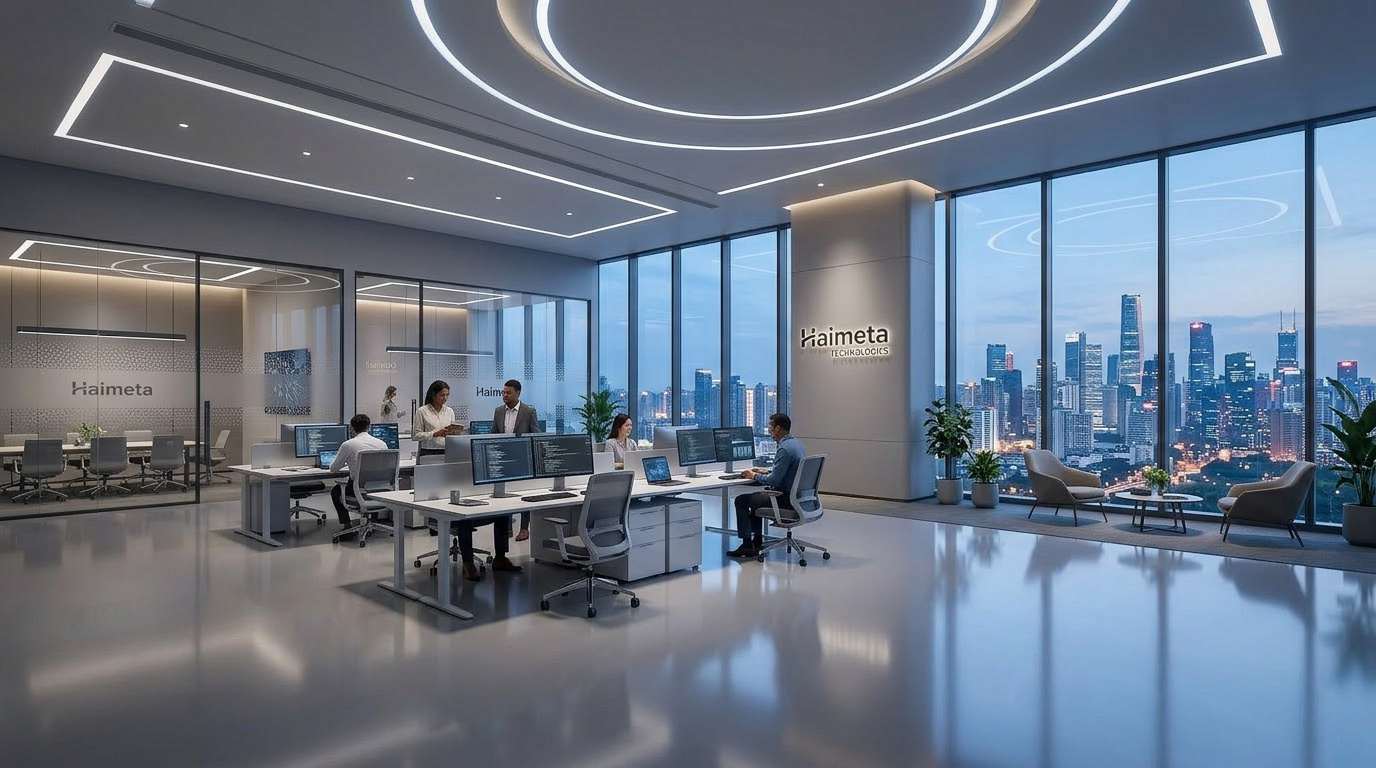
Why This Works for Commercial Real Estate
The "ecology" framing is what elevates this above a standard promotional video. Rather than listing facilities, it positions the building as a living system. This is a narrative strategy used by premium real estate marketing agencies — Seedance 2.0 executes it from a single photo and a text prompt.
Best use cases:
- Commercial property listings
- Corporate headquarters brand films
- Business park / co-working space marketing
Use Case 2: Typography / Title Animation
Opening title sequences are one of the most reused elements in branded video content, and one of the hardest to produce without motion graphics expertise. Seedance 2.0 handles this through reference video matching.
How It Works
- Provide a reference video (Video 1) that has a particle effect you want to match
- Provide a title image (Image 1) with your text/logo
- The model generates a new animation that replicates the particle behavior and applies it to your title
Prompt Formula
"It starts with a black screen. Refer to the particle effects and materials of Video 1. The golden gravel material floats out from the left side of the screen and covers it to the right. Referring to the particle blowing effect of Video 1, the font of Image 1 gradually appears in the center of the screen."
Settings: Fast/2.0, 16:9, 10s
Applications
- Intro sequences for YouTube channels
- Brand reveal animations
- Event opening titles
- Episode opening cards for series content
Use Case 3: Fisheye Narrative — Multi-Source Reference Composition
This is one of the most technically sophisticated templates — it composes a scene by pulling visual references from three separate sources simultaneously.
The Setup
Three inputs:
- Video 1: Reference for fisheye lens style
- Video 2: The subject character (a horse, in the example template)
- Audio 1: Reference for background music tone
Prompt Formula
"Fixed lens. The central fisheye lens peeks down through a circular hole. Refer to the fisheye lens style in Video 1. Let the subject from Video 2 look toward the fisheye lens, referencing the speaking action from Video 1. Background BGM references the sound effects from Audio 1."
Settings: Fast/2.0, variable, 10s
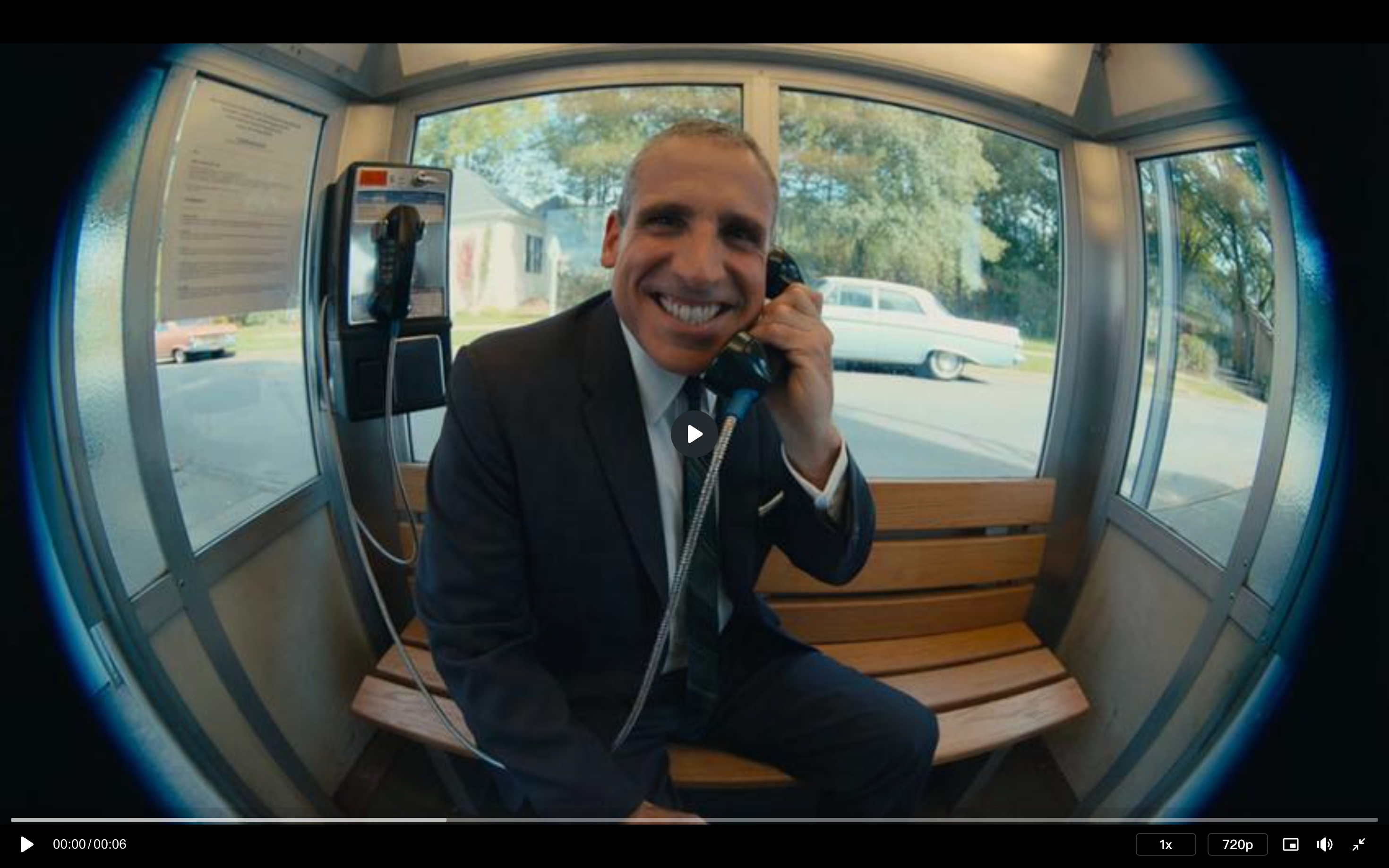
Why Multi-Reference Composition Matters
This workflow demonstrates a key Seedance 2.0 capability: cross-source reference assembly. You're not just providing one reference — you're pulling the camera style from one source, the subject from another, and the audio texture from a third. The model synthesizes these into a coherent scene.
This is useful when you have:
- A specific visual style you want replicated (competitor video, reference reel)
- A subject character that needs to be animated in a new context
- A specific audio atmosphere you want the visuals to match
Use Case 4: Character Film — From Still to Cinema
This use case connects back to the action category but focuses on pure cinematic storytelling with a character reference image — generating a complete short film arc rather than a single action moment.
The Two-Phase Prompt Approach
For longer narrative videos, Seedance 2.0 templates often provide both Chinese and English prompts — the English version is optimized for model performance on international releases, while the Chinese version allows for nuanced local market customization.
Phase 1: Character design prompt (establishes visual identity)
- Full-body standing pose
- All identifying features visible
- Costume in the context of the story world
Phase 2: Action sequence prompt (the actual film content)
- Opening aerial establishing shot
- Character action and story arc
- Climax and resolution framing
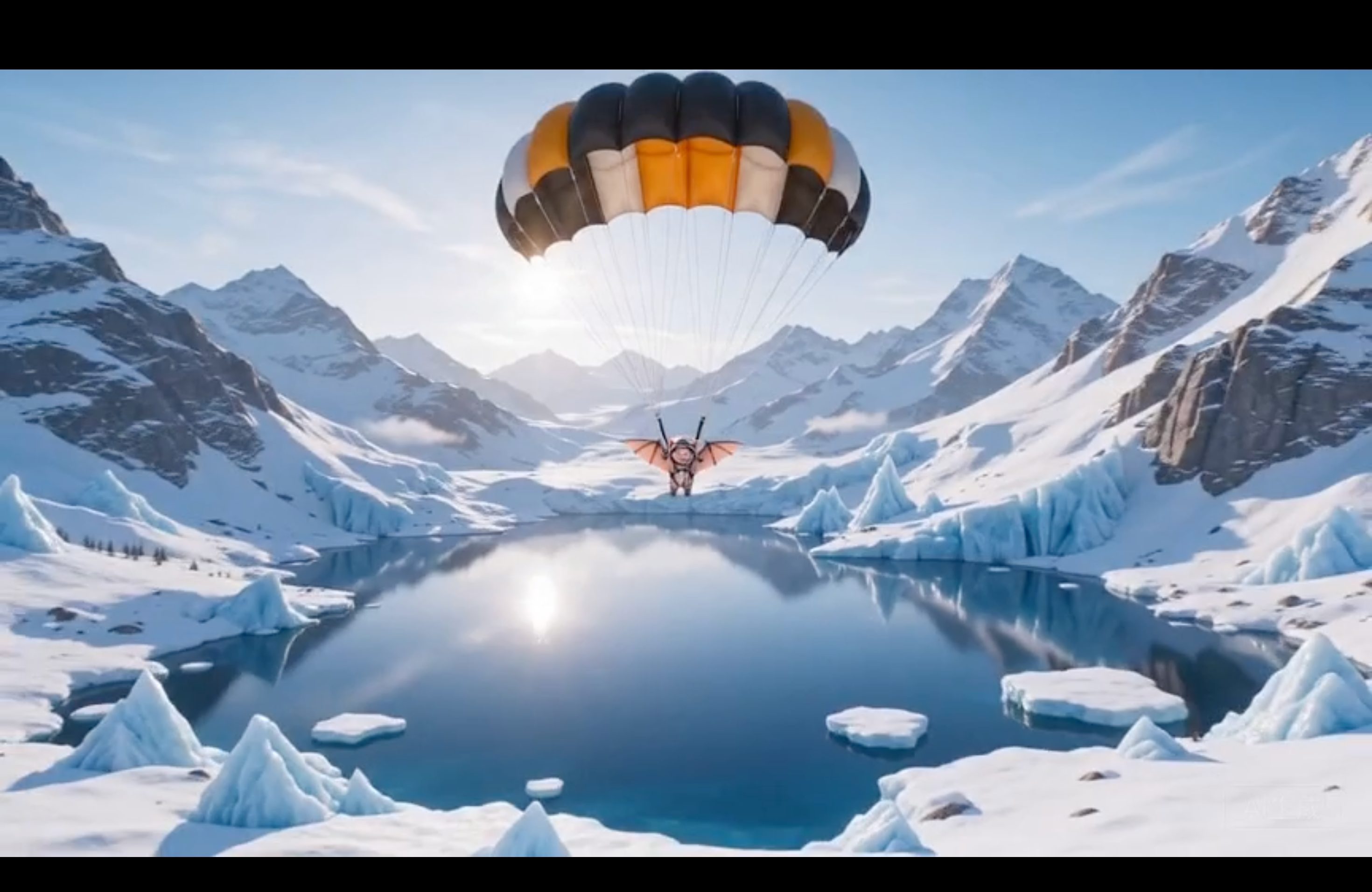
Example: Snow Peak Leap
Opening:
"A cinematic video sequence begins with a serene wide-angle aerial shot, showcasing the snow-capped primeval mountains at dawn. The mountaintop pierces through the sea of clouds, and the rosy glow dyes the ice layer pink and gold."
Action:
"The camera then switches, following the gliding pilot leaping down from the mountaintop and immediately making a steep vertical dive through the thin clouds. The tracking camera was located above and behind the pilot."
Resolution:
"The camera follows the deceleration process upwards and then zooms out, revealing a stunning hidden alpine lake surrounded by untouched snowfields. The lake surface is as calm as a mirror, reflecting the morning sky."
Settings: Fast/2.0, 16:9, 15s
Film Production Prompt Reference Guide
Camera Language Keywords
| Effect | Keyword(s) to Use |
|---|---|
| Documentary style | "2.35:1 widescreen, 24fps, cinematic realism" |
| Handheld tension | "handheld, slight shake, dynamic blur" |
| Aerial establishing | "wide-angle aerial shot, bird's-eye view" |
| Intimate narrative | "shallow depth of field, push-in, focus pull" |
| Fisheye style | "fisheye lens, circular frame, peek through" |
| Title sequence | "particle effect, golden gravel, fade to center" |
Lighting Language Keywords
| Mood | Keywords |
|---|---|
| Dramatic product | "dramatic top light, pure black background" |
| Golden hour | "backlit setting sun, golden rim light, warm glow" |
| Film documentary | "practical lighting, natural ambient, controlled shadows" |
| Dawn epic | "dawn light, pink-gold horizon, ice catching sunrise" |
| Studio food | "soft highlights, natural warm color grading, high dynamic range" |
Start Creating
👉 Access Seedance 2.0 film templates on Haimeta
From real estate documentary to opening title sequences — professional film production language, AI execution speed.