
Stop Cropping Your Memories in 2026: How to Change Image Aspect Ratio Without Cropping
Stop Cropping Your Memories in 2026: How to Change Image Aspect Ratio Without Cropping
Welcome to 2026! We live in a world where sharing our daily lives, professional portfolios, and favorite moments online is easier than ever. But there is one tiny, persistent frustration that has plagued photo enthusiasts, marketers, and everyday social media users for years: the dreaded aspect ratio mismatch.
Have you ever captured the absolute perfect moment on your camera, only to realize that Instagram wants a 4:5 vertical, your blog needs a 16:9 horizontal, and your profile picture demands a perfect 1:1 square? For years, the only solution was cropping. You had to slice away beautiful background details, awkwardly chop off someone's shoulder, or ruin the entire composition of your masterpiece just to fit arbitrary digital boxes.
Well, say goodbye to those compromises. If you are looking to change image aspect ratio without cropping, you have arrived at the right place. Today, we are going to compare the old, frustrating ways of forcing images into boxes with the magical, modern solution of AI background expansion. We will show you exactly how to preserve every single pixel of your original photo while effortlessly generating the extra space you need.
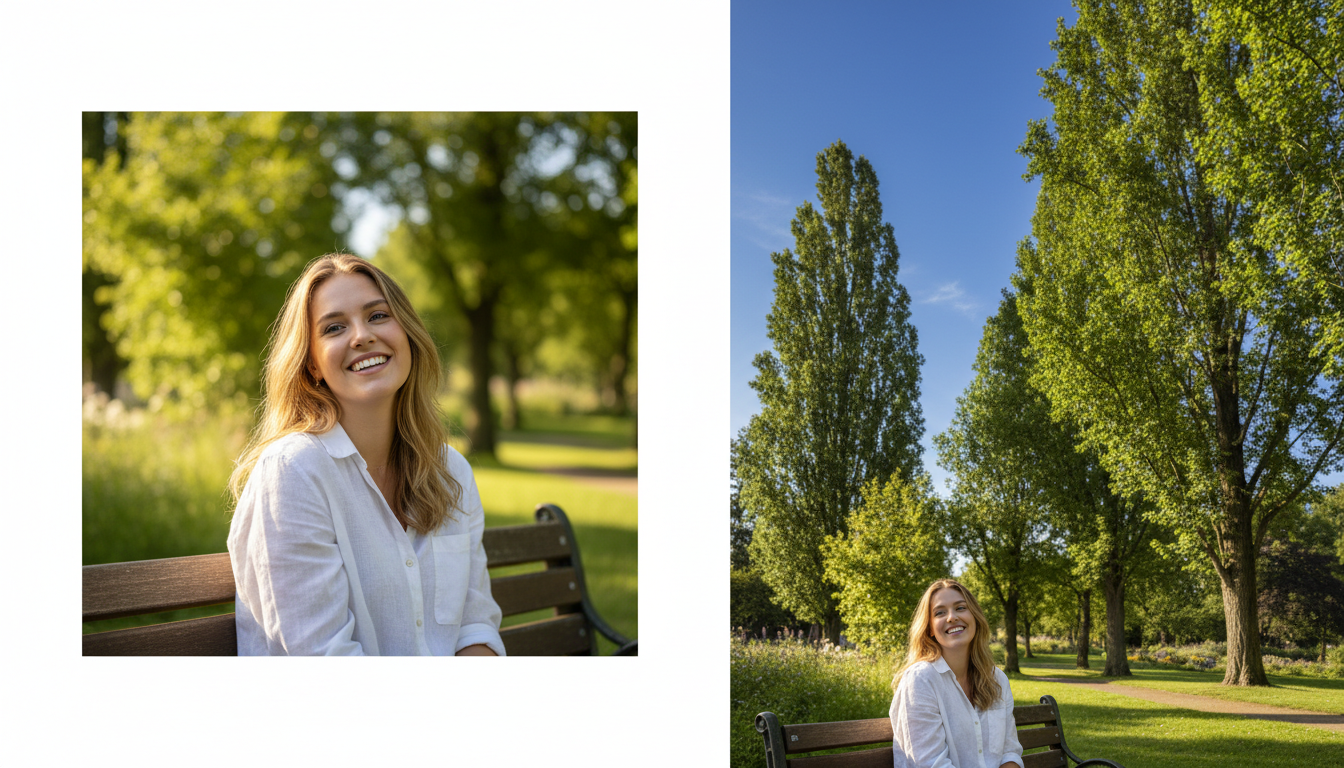
The Old Way vs. The 2026 Way: A Friendly Comparison
To truly appreciate how far we have come, let us take a friendly walk down memory lane and compare the traditional methods of resizing photos with the incredibly seamless solutions available to us today.
The Frustration of Traditional Cropping (The Old Way)
Before recent advancements, changing a photo's dimensions meant making painful sacrifices. Let us say you had a beautiful, perfectly framed 1:1 square photo of your dog sitting in a park. It looked amazing. But then you wanted to use it as a vertical 3:4 phone wallpaper or a social media story.
What were your options?
- The Aggressive Crop: You zoom in, chopping off your dog's paws and the beautiful sunny sky above just to force the image into a vertical shape. The context is lost, the image quality drops because you zoomed in so much, and the memory feels incomplete.
- The Ugly Borders: You shrink the image to fit the vertical space, leaving massive, ugly white or black bars at the top and bottom. This looks incredibly unprofessional and ruins the aesthetic vibe of your feed.
- The Stretched Nightmare: In a moment of desperation, you stretch the image vertically. Suddenly, your adorable dog looks incredibly tall and completely distorted.
None of these options were good. You were always forced to lose something—either the context, the quality, or the visual appeal of your original image.
The Magic of AI Expansion (The 2026 Way)
Now, let us talk about how we do things today. Thanks to smart, intuitive tools, you no longer have to choose between cutting out your subject or accepting ugly borders. You can simply expand the image.
Instead of taking things away, AI adds exactly what is missing. Imagine that same 1:1 square photo of your dog. By using an AI expansion tool, you simply tell the system you want a 3:4 vertical image. The AI looks at your photo, understands that it is a dog sitting on green grass under a blue sky, and magically generates more grass at the bottom and more blue sky at the top.
Your original photo remains completely untouched and uncropped in the center. The composition is preserved, your dog looks perfect, and you now have a beautifully formatted vertical image ready to be shared. It is practically magic, but without any complicated technical jargon or confusing software required.
Meet Your New Best Friend for Photo Editing
If you are wondering how to get your hands on this kind of effortless photo expansion, we highly recommend checking out AI Expand created by Haimeta.
This platform has completely revolutionized the way we handle image dimensions in 2026. The core philosophy behind the tool is simple: you should never have to sacrifice the content of your photos just to fit a specific layout.
With AI Expand, you simply upload your picture. The incredibly smart AI automatically understands the context of your image—whether it is a cozy coffee shop, a sweeping mountain landscape, or a portrait in your living room. When you select your new desired aspect ratio, it flawlessly expands the background to fill the new space. It matches the lighting, the textures, and the mood so perfectly that nobody will ever know the original image was a different size.
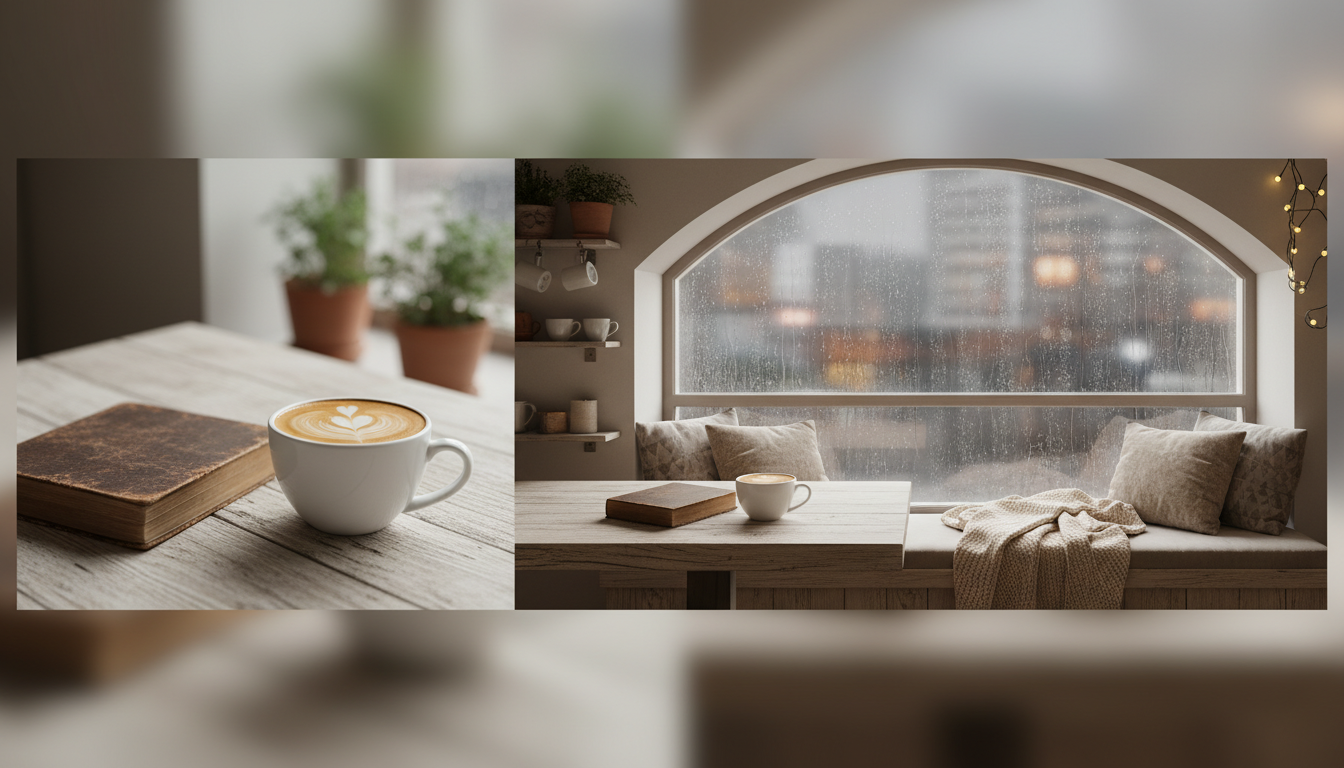
Real-Life Scenarios Where Expanding Beats Cropping
Still not sure when you would need to change an image aspect ratio without cropping? Let us look at a few highly relatable, everyday scenarios where this tool becomes an absolute lifesaver.
1. Rescuing Group Photos
We have all been there. You take a beautiful wide shot (16:9) of your family at a reunion. Everyone looks fantastic, the lighting is great, and nobody blinked. But when you try to post it to a platform that favors square (1:1) or vertical (4:5) formats, you realize you have to crop out your cousin on the far left and your uncle on the far right.
With AI expansion, you do not have to leave anyone out. You can actually take that wide group photo and expand the top and bottom (adding more ceiling/sky and floor/ground) until the overall shape becomes a square or a vertical rectangle. Everyone stays in the photo, and the dimensions fit perfectly.
2. Perfecting Your Online Store Products
If you run a small business or an online store, consistent product photography is essential. Suppose your supplier provides you with beautiful landscape photos of a new product, but your website's product gallery requires uniform square (1:1) images. Cropping the landscape photo might cut off parts of the product or make it look cramped.
By using AI Expand by Haimeta, you can effortlessly generate more background space on the top and bottom, creating a clean, professional square image that highlights your product perfectly with plenty of breathing room.
3. Upgrading Your Phone Wallpapers
Sometimes you find the most breathtaking image online, or you take a stunning horizontal shot of a sunset on vacation. You immediately want to set it as your phone lock screen, which is extremely vertical (often 9:16 or taller). Traditional cropping forces you to choose just a tiny vertical slice of that beautiful sunset. AI expansion lets you keep the entire horizontal sunset in the middle, while seamlessly generating a matching beautiful evening sky above and a tranquil beach below to fill out the rest of your phone screen.
Step-by-Step: From 1:1 to 3:4 in Seconds
Are you ready to see how incredibly easy it is to change image aspect ratio without cropping? You do not need a degree in graphic design. Here is the friendly, straightforward process you can use today:
- Step 1: Choose Your Image Find that wonderful photo you love but that stubbornly refuses to fit the format you need. Let us say it is a 1:1 square image.
- Step 2: Head to the Right Tool Navigate over to AI Expand. The interface is designed to be welcoming and incredibly easy to navigate, even if you have never edited a photo in your life.
- Step 3: Upload Your Masterpiece Simply drag and drop your photo into the designated area. The system will securely process your image.
- Step 4: Pick Your Target Ratio Look at the friendly menu of options and select your new desired shape. Do you need a 3:4 for a social post? A 16:9 for a presentation? Just click the button. You do not need to calculate pixels; the tool knows exactly what to do.
- Step 5: Let the AI Work Its Magic Hit the generate button. In moments, the AI will evaluate the borders of your image, understand the scene, and seamlessly paint in the missing pieces.
- Step 6: Download and Share Once the AI has expanded your image, you can download the final, full-resolution file. You now have a perfectly sized image with all your original content beautifully intact.
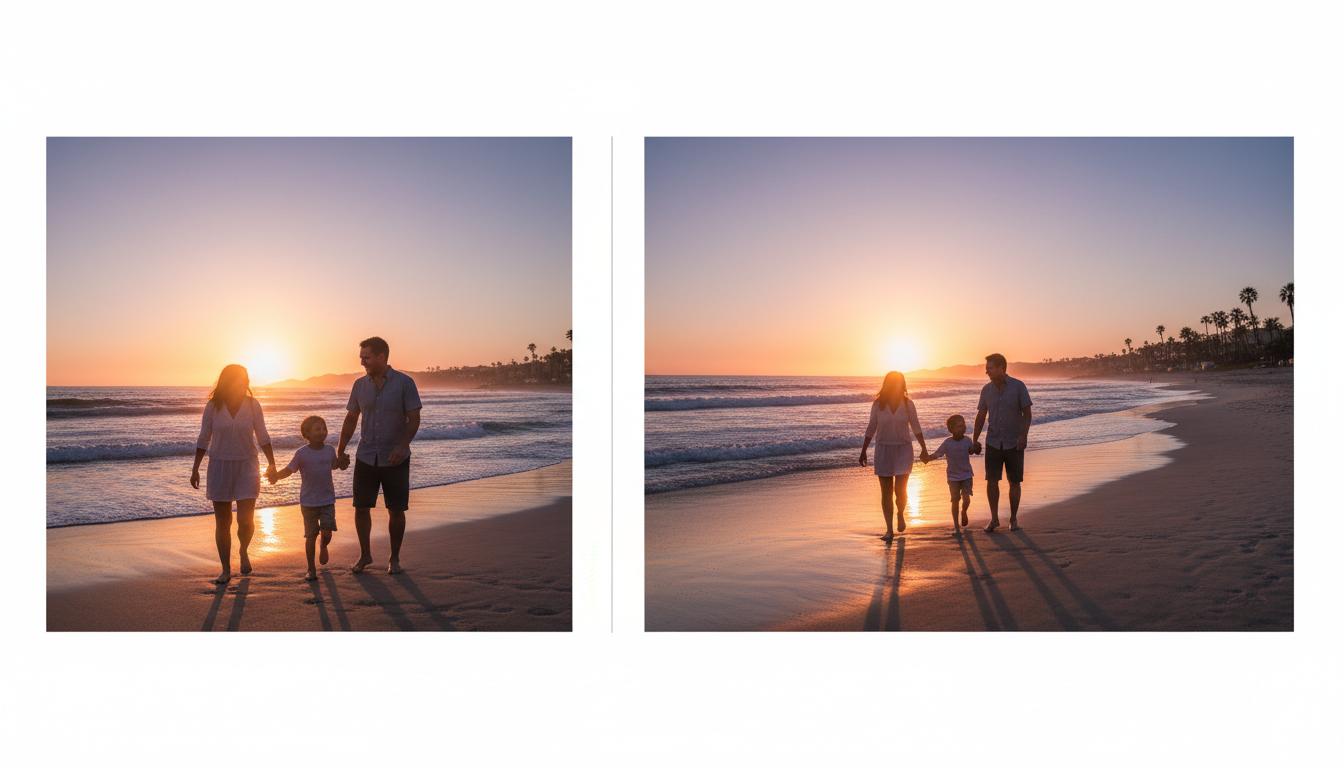
Why You Will Never Go Back to the Crop Tool
Once you experience the freedom of changing an image aspect ratio without cropping, the traditional crop tool will feel entirely obsolete. We capture photos to remember moments, to tell stories, and to share our perspective with the world. Every element in a frame—the way the shadows fall, the surrounding environment, the empty space that draws the eye to the subject—matters.
Forcing these carefully captured moments into rigid, uncompromising boxes was always a flaw of early digital media. In 2026, we have evolved past that. We now have tools that adapt to our art, rather than forcing our art to adapt to them.
By utilizing smart background extension, you are preserving the integrity of your memories. You are ensuring that the beautiful landscape behind your family vacation photo stays intact. You are making sure the aesthetic composition of your flat-lay photography remains balanced. You are quite literally expanding your horizons.
Conclusion
Changing your image's aspect ratio without losing any of your precious original content is no longer a futuristic dream—it is the everyday reality of 2026. You no longer have to compromise, chop off edges, or deal with frustrating formatting issues.
Whether you are a casual smartphone photographer trying to make a beautiful home screen, a social media enthusiast looking to optimize your feed, or a professional aiming to keep your branding perfectly consistent across all platforms, AI expansion is the friendly, stress-free solution you have been waiting for.
Stop settling for cropped, compromised pictures. Preserve your memories in their entirety and let smart technology handle the edges. Head over to AI Expand created by Haimeta today, upload that stubborn photo that never quite fit right, and watch as it beautifully transforms into the perfect size—without losing a single important detail!