
The Evolution of the Image Text Editor: How Haimeta AI is Changing the Game
The Evolution of the Image Text Editor: How Haimeta AI is Changing the Game
In the fast-paced world of digital content creation, few challenges are as persistent and frustrating as the need to edit text in image formats that have already been flattened. For decades, graphic designers, marketers, and social media managers have faced the same hurdle: you have the perfect image, but the text is wrong. Perhaps it’s a typo, an outdated price on a menu, or a slogan that needs localization for a different market.
Traditionally, fixing this required a complex dance within sophisticated photo editing software. You had to identify the font, attempt to match the typography, carefully clone-stamp out the old text to reconstruct the background, and then overlay the new text—praying that the lighting and texture matched. It was a manual, labor-intensive process reserved for those with the technical skills to execute it.
Enter the new era of generative AI. Today, we are witnessing a paradigm shift with tools like the Haimeta Text Editor, created by the innovators at Haimeta. This tool is not just another layer of filters; it represents a fundamental change in how we interact with static imagery, allowing users to modify text semantics without compromising visual integrity.
The Persistent Challenge of Static Image Editing
To understand the magnitude of this solution, we must first analyze the problem. When an image is saved as a JPEG or PNG, the text becomes a collection of pixels indistinguishable from the background. Unlike a vector file or a project file (like a PSD), the computer does not know that the pixels shaped like the letter "A" are separate from the pixels depicting the brick wall behind it.
For years, the keyword image text editor implied a tool that merely overlayed new text on top of an image. If you wanted to replace text, you had to manually erase the pixels. This inevitably led to the "uncanny valley" of photo editing:
- Mismatched Fonts: Even with thousands of fonts available, finding the exact weight, kerning, and style of the original is often impossible.
- Distorted Backgrounds: Erasing text often leaves a blurry smudge where the background texture used to be.
- Lighting Inconsistencies: New text layers often look "flat" because they lack the ambient lighting, shadows, or grain of the original photograph.
Haimeta: A New Paradigm for Editing
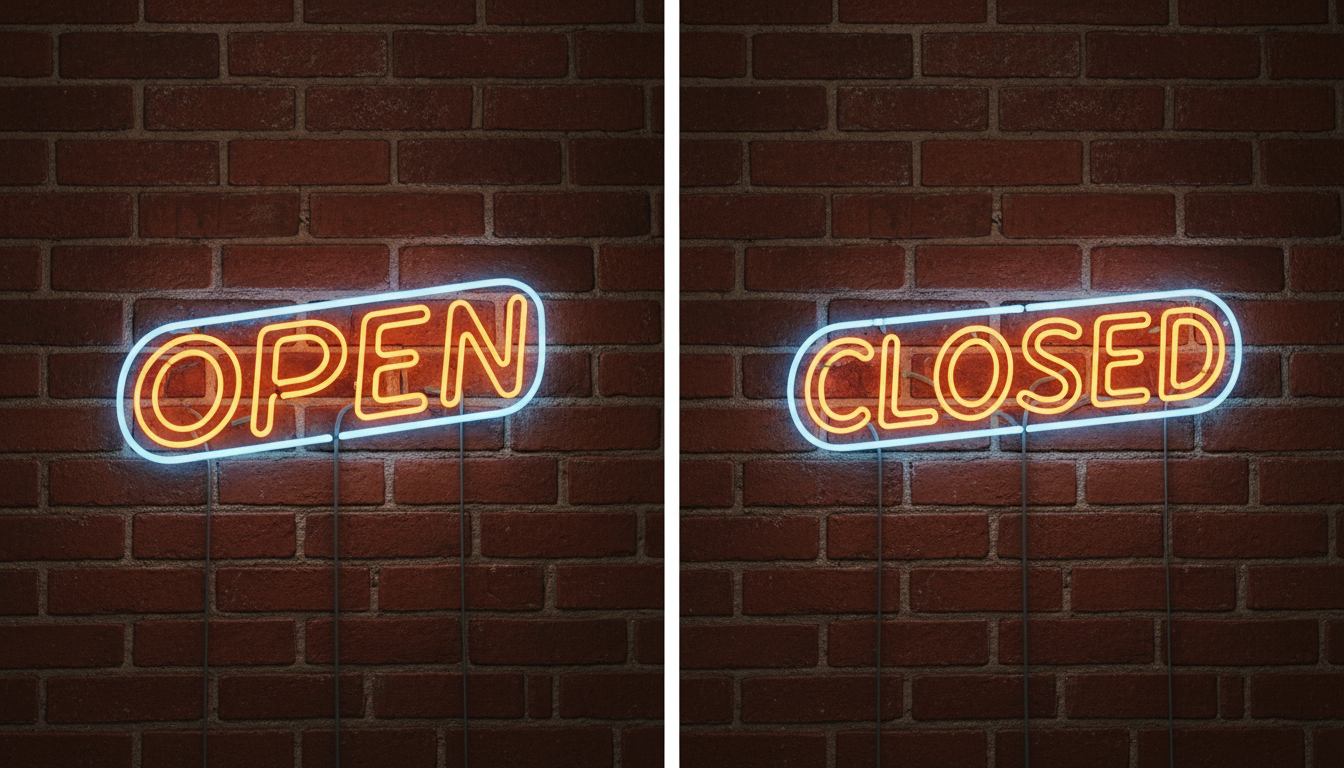
The Haimeta Text Editor created by Haimeta bypasses these manual struggles entirely by leveraging advanced generative artificial intelligence. The premise is disarmingly simple, yet technologically profound. The workflow has been streamlined into a process that anyone, regardless of design experience, can master in seconds:
- Upload the image you wish to modify.
- Instruct the AI on what the new text should read.
- Click Create.
This simplicity belies the complexity of what is happening under the hood. Unlike traditional tools that treat text as a layer sitting on top of an image, Haimeta’s solution understands the text as an integral part of the image's composition.
Powered by Nano Banana2
The secret sauce behind this seamless integration is the Nano Banana2 image generation model. While many AI models struggle with text rendering—often producing gibberish or alien-like glyphs—Nano Banana2 has been specifically optimized for textual coherence and spatial awareness.
This integration allows the tool to perform "in-painting" with a level of sophistication previously unseen. When you ask the tool to edit text in image areas, Nano Banana2 analyzes the surrounding pixels to understand the context. It looks at the texture of the surface (whether it's paper, metal, screen, or stone), the lighting direction, and the existing font style.
Visual Integrity: The Holy Grail of Image Editing
The true test of any image text editor is not just whether it can change the words, but whether the viewer can tell that an edit was made. This is where Haimeta distinguishes itself from competitors.
1. Preserving Font Styles
One of the most critical features of Haimeta is its ability to mimic the original typography. If you are editing a vintage street sign with weathered, bold lettering, Haimeta does not replace it with a crisp, digital Arial font. Instead, the Nano Banana2 model generates the new characters using the stylistic data from the original letters. It matches the serif, the weight, and even the imperfections.
2. Zero Distortion of Surroundings
A common failure point in AI editing is the "hallucination" of surrounding objects. Often, when an AI regenerates a specific area, it might accidentally warp a nearby face, bend a straight architectural line, or blur a detailed texture.
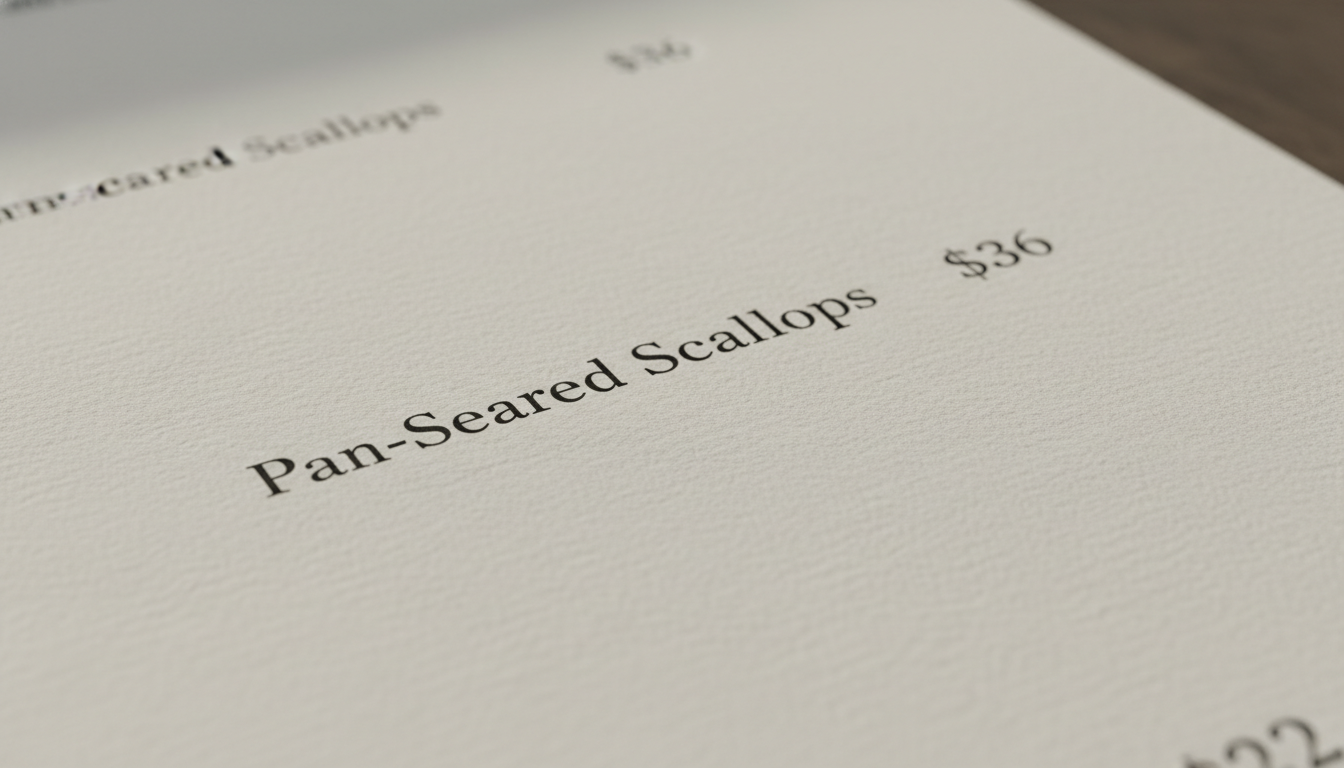
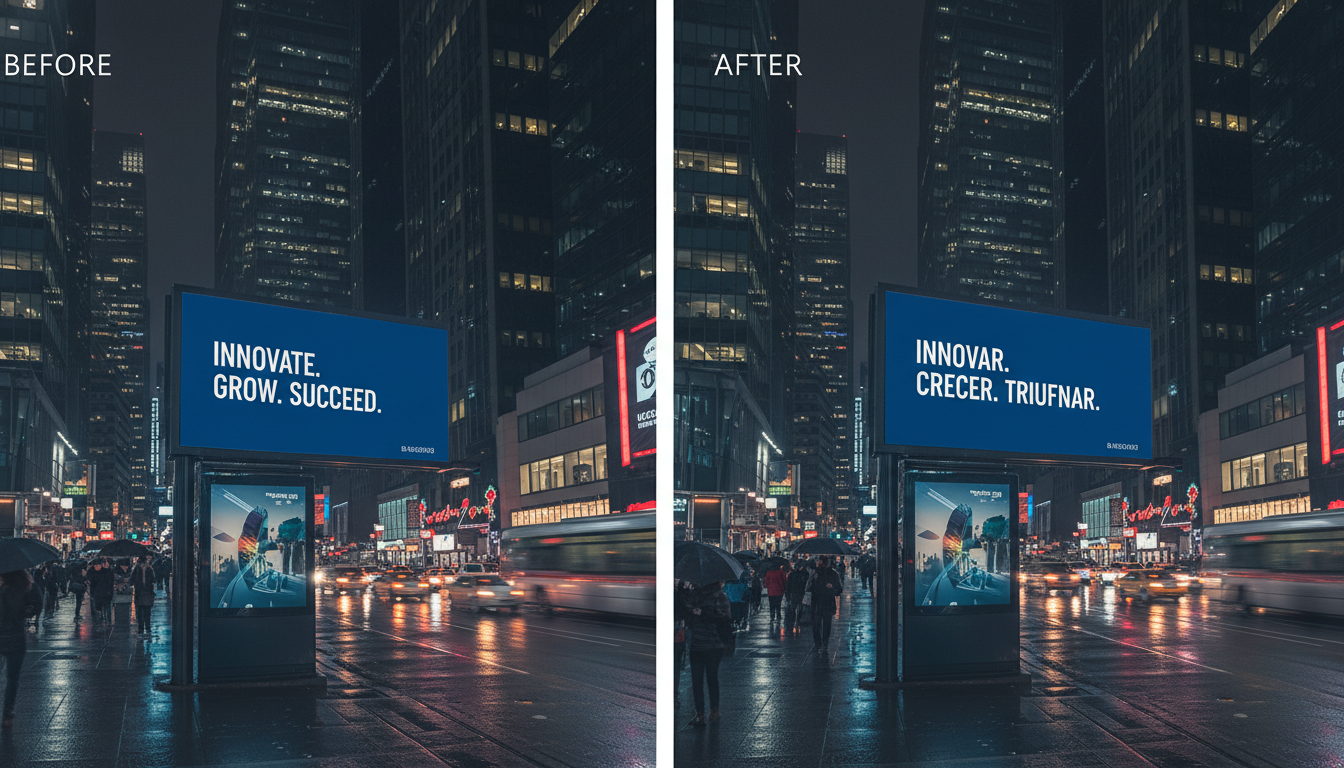
Haimeta has rigorously tuned the Nano Banana2 model to ensure strict locality. The modification is surgically applied only to the text region. The surrounding elements—whether they are complex floral patterns on a menu or the busy street behind a billboard—remain completely undistorted. This stability is crucial for professional use cases where product fidelity cannot be compromised.
Practical Applications for Modern Professionals
The ability to effortlessly edit text in image files opens up a plethora of high-value use cases across various industries. By removing the technical barrier, Haimeta allows professionals to focus on the message rather than the pixels.
E-Commerce and Global Marketing
Imagine a fashion brand launching a campaign across five different countries. Traditionally, this would require a photoshoot where models hold signs in different languages, or a heavy post-production phase to manually retouch the text for every region.
With the Haimeta Text Editor, a single source image can be localized in minutes. A promotional banner reading "Summer Sale" can be instantly transformed to "Soldes d'été" or "Sommerschlussverkauf" without losing the festive font style or the background beach texture. This capability drastically reduces time-to-market for global campaigns.
Quick Corrections for Social Media
Social media managers often work with assets provided by third parties or legacy content. If a viral meme needs a text tweak, or if an infographic contains a typo, reloading the original project files is often not an option. Haimeta serves as an instant fix, allowing for rapid iteration of visual content. You can A/B test different headlines on the same ad visual without needing a designer to render multiple versions.
Archival and Restoration
For historians or archivists digitizing old documents or signs, clarity is key. While we often think of editing as changing meaning, it can also be used to restore legibility to faded text while keeping the aged look of the document intact. The Nano Banana2 model excels at maintaining the "vibe" of the source material, ensuring that restored text doesn't look artificially superimposed.
Step-by-Step: From Static to Dynamic
Let’s walk through a concrete example to illustrate the power of this tool. Suppose you have a photograph of a coffee shop chalkboard menu. The price of a Latte is listed as $3.50, but inflation has hit, and you need it to say $5.00.
The Old Way:
- Open Photoshop.
- Use the Clone Stamp tool to paint over "$3.50" with the chalkboard texture.
- Find a "chalk" font online that looks somewhat similar.
- Type "$5.00".
- Add noise, blur, and reduce opacity to make it look like it's written on the board.
- Result: It usually looks fake.
The Haimeta Way:
- Go to the Haimeta Text Editor created by Haimeta.
- Upload the coffee shop photo.
- Type "change text $3.50 to $5.00" in the prompt box.
- Click Create.
- Result: The AI generates the new numbers using the exact chalk texture and handwriting style of the surrounding words. The chalkboard dust remains visible. The perspective is correct.
Why The Technology Matters
It is important to emphasize that Haimeta is not relying on simple optical character recognition (OCR) and text overlay. It is utilizing generative diffusion technology via the Nano Banana2 model.
This distinction is vital because it explains why the results are so photorealistic. The model is effectively "dreaming" the new text into existence based on the mathematical probabilities of how those letters would look in that specific environment. It calculates how light hits the curves of the letters and how shadows fall. This is a level of computation that manual editing simply cannot replicate with speed.
Furthermore, by stripping away complex technical interfaces, Haimeta democratizes high-end editing. There are no layers to manage, no masks to refine, and no brushes to size. The interface is clean, focusing entirely on the input (your image) and the output (your vision).
Conclusion: The Future of Image Editing is Semantic
As we look toward the future of digital media, the line between static and dynamic content is blurring. The Haimeta Text Editor stands at the forefront of this transition. By solving the age-old problem of how to edit text in image formats without destroying the image itself, Haimeta empowers creators to be more agile and efficient.
The integration of the Nano Banana2 model ensures that these edits are not just convenient, but professional-grade. Whether you are correcting a typo on a billboard or localizing a digital ad, the result is seamless, maintaining the font styles and keeping surrounding objects perfectly intact.
Don't let static pixels hold your creativity back. Experience the power of semantic image editing today.
Try the Haimeta Text Editor Now and see the difference Nano Banana2 makes in your creative workflow.