
How to Unwatermark Images: The Ultimate Professional AI Guide
How to Unwatermark Images: The Ultimate Professional AI Guide
In the digital age, visual content is the currency of communication. Whether you are a marketing executive, an e-commerce store owner, or a professional photographer, the clarity and integrity of your images are paramount. However, we often encounter a common obstacle: watermarks. These text overlays or logos, while useful for copyright assertions, can often obstruct the view of an image, ruin its aesthetic appeal, or make it unusable for legitimate professional presentations.
The process to unwatermark an image used to require advanced graphic design skills, expensive software, and hours of painstaking manual labor. Even then, the results were often less than perfect, leaving behind blurry smudges or distorted pixels that betrayed the edit.
Today, the landscape has shifted. With the advent of advanced Artificial Intelligence, removing distractions from images has become an automated, seamless process. This guide explores how you can effortlessly restore your visual assets using cutting-edge tools, specifically highlighting Unwatermark created by Haimeta.
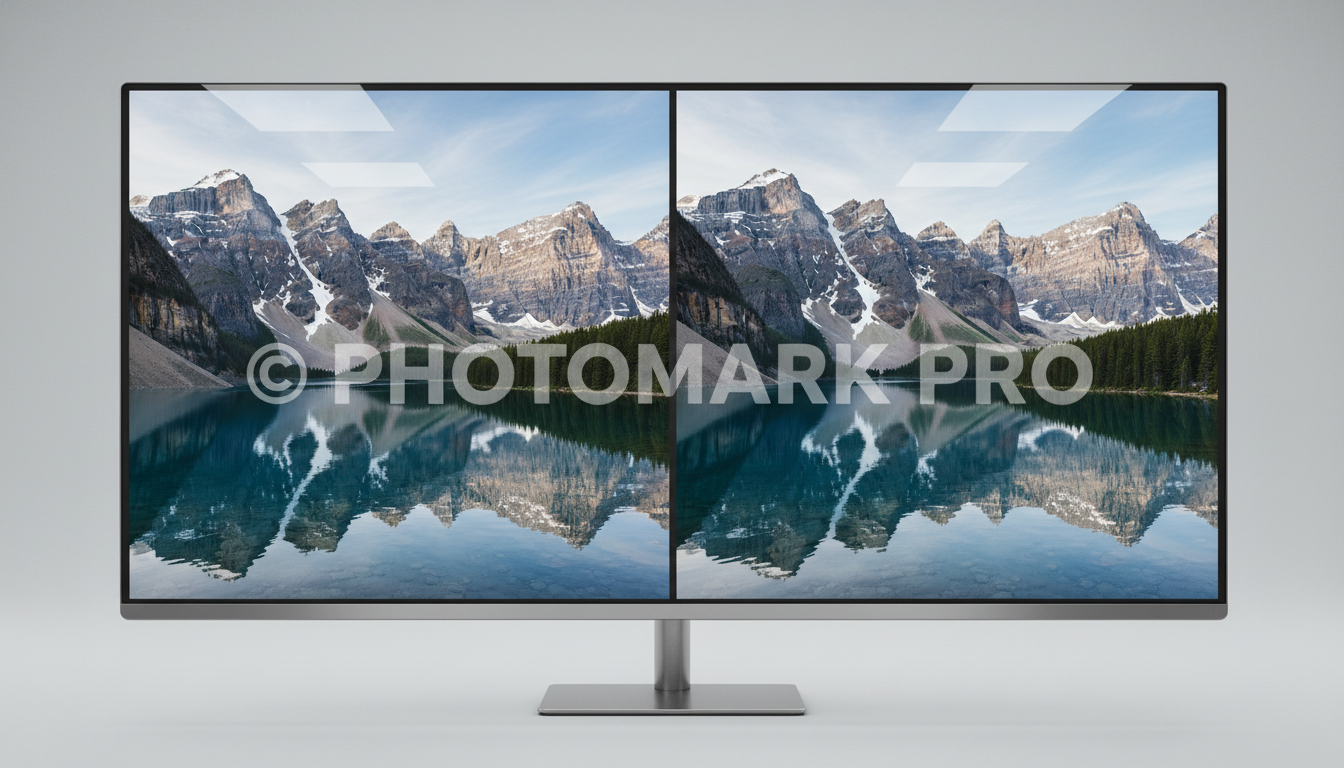
Understanding the Need to Unwatermark
Before diving into the solution, it is essential to understand the professional scenarios where watermark removal is not just a convenience, but a necessity. While respecting intellectual property is critical, there are numerous legitimate use cases for removing watermarks:
- Recovering Lost Originals: Businesses often lose source files over time. You might have the watermarked version in your catalogue but lack the pristine original.
- Mockups and Pitching: Agencies often need to present clean concepts to clients before purchasing full licenses for stock imagery.
- E-commerce Standardization: Resellers often receive product images from manufacturers stamped with dates, camera info, or intrusive logos that clash with their store's branding guidelines.
- Personal Archives: Restoring old family photos that may have date stamps or digital artifacts overlaid by early digital cameras.
The goal is clear: you need the image to look as if the watermark was never there. This requires a tool that goes beyond simple blurring—it requires intelligent reconstruction.
The Traditional Struggle vs. The AI Solution
The Old Way: Manual Editing
Historically, to unwatermark an image meant using the "Clone Stamp" or "Healing Brush" tools in complex photo editing software. The user had to:
- Manually select the watermarked area.
- Find a source point in the image that looked similar.
- Painstakingly paint over the watermark.
- Adjust lighting and texture to blend the edges.
This method was fraught with issues. It was time-consuming, and unless you were a retouching expert, the background often looked warped or repetitive. Complex backgrounds with gradients or intricate details were almost impossible to fix manually.
The New Way: AI Automation
Modern AI tools have revolutionized this workflow. The core value proposition of modern solutions like Unwatermark is simplicity and fidelity.
The core selling points are straightforward:
- Zero Learning Curve: You simply upload the picture.
- Automatic Identification: The system detects the overlay.
- Integrity Preservation: The AI eliminates the watermark while keeping the original image intact.
This technology analyzes the context of the image—the colors, textures, and lines surrounding the watermark—and intelligently fills the gap. It is not just covering up the problem; it is restoring the image to its intended state.
Introducing Unwatermark by Haimeta
Unwatermark created by Haimeta stands out as a premier solution in this space. It is designed for professionals who demand high-quality results without the hassle of technical configurations.
The philosophy behind this tool is "Upload and Done." There are no complicated sliders to adjust, no masks to paint manually, and no technical jargon to decipher. The focus is entirely on the result: a clean, usable image.

Step-by-Step Guide: How to Unwatermark Your Images
Using AI to clean your images is remarkably simple. Here is a walkthrough of the process using Haimeta’s Unwatermark tool. You will notice that the steps are minimal, which is exactly the point of advanced automation.
Step 1: Access the Tool
Navigate to the Unwatermark module. The interface is designed to be clean and distraction-free, allowing you to focus on your asset.
Step 2: Upload Your Image
Select the image you wish to process. This could be a JPEG, PNG, or other standard image formats.
- Tip: Ensure your image is of decent resolution. While the AI is powerful, starting with a higher-quality source file usually yields the best reconstruction results.
Step 3: Automatic Processing
Once uploaded, the AI takes over. You do not need to manually highlight the text or draw boxes around the logo. The system automatically identifies the foreign elements—be it text, a logo, or a time stamp—that are overlaying the main visual.
Within moments, the watermark is eliminated. The system analyzes the pixels hidden behind the watermark and reconstructs them based on the surrounding data.
Step 4: Review and Download
Preview the result. You will see that the area where the watermark used to be is now seamless. The texture of the background, whether it is a smooth sky, a complex fabric pattern, or human skin, is preserved. Once satisfied, download your clean image.
Why Image Integrity Matters
When you unwatermark an image, the biggest risk is damaging the "integrity" of the photo. Many inferior tools leave behind a "ghosting" effect—a faint outline of the removed text—or a blurry patch that looks like a smudge on a lens.
Unwatermark created by Haimeta excels because it prioritizes the completeness of the original image.
The Importance of "Invisible" Edits
In professional settings, an edit must be invisible. If a customer looking at a product photo can tell that a logo was digitally removed, it lowers the perceived quality of the product. If a real estate listing shows a blurry patch in the corner of a living room photo, it raises suspicion.
By ensuring that the filled-in area matches the noise, grain, and lighting of the rest of the photo, Haimeta ensures that the viewer’s focus remains on the subject matter, not the editing process.

Use Cases: Who Needs This Tool?
1. E-Commerce Merchants
Online retailers often source products from various suppliers. These supplier images frequently come with distracted overlays. To create a cohesive, trustworthy storefront, all product images must look uniform. Unwatermarking these assets allows for a clean, professional catalog that builds consumer trust.
2. Marketing Agencies
Creating mood boards and internal concept pitches often requires grabbing images from various sources to convey an idea. Watermarks can be distracting in these internal meetings. Quickly cleaning these images allows the creative team to focus on the concept art without visual noise.
3. Content Creators and Influencers
Creators often need to repurpose their own content across platforms. Sometimes, the only version of a video thumbnail or a photo saved on a phone has a platform-specific watermark (like the logo of a video editing app). Removing this allows for a clean re-upload to other social channels.
4. Graphic Designers
Designers can save hours of retouching time. Instead of billing a client for two hours of manual watermark removal on a recovered asset, they can run it through the AI tool in seconds and focus their billable hours on creative work, delivering better value to their clients.
Best Practices for Professional Results
While the AI does the heavy lifting, adhering to a few best practices ensures optimal results:
- High Resolution: Always try to work with the highest resolution file available. The more data the AI has to read from the surrounding pixels, the better the reconstruction.
- Check Complexity: While the tool is incredibly robust, extremely large watermarks that cover 50% or more of the main subject (like a face) are naturally harder to reconstruct flawlessly. However, for standard watermarks located in corners or tiled across backgrounds, the results are typically indistinguishable from the original.
- Ethical Usage: It is crucial to maintain professional ethics. Use these tools to clean images you have the rights to use, to recover your own assets, or for internal mockups. Always respect copyright laws and licensing agreements when publishing final content.
Conclusion
The ability to unwatermark images effectively is a game-changer for digital workflow efficiency. It bridges the gap between a cluttered, unusable file and a pristine, professional asset.
The days of struggling with clone stamps and blurry edits are over. With Unwatermark created by Haimeta, you have access to a solution that is fast, automated, and deeply respectful of the original image's quality. By simply uploading your file, you allow the AI to handle the complexity of reconstruction, giving you back a perfect image ready for your professional needs.
Whether you are cleaning up a product catalog or restoring a personal archive, the value lies in the seamless result: an image that looks exactly as it should—clear, clean, and distraction-free.
Ready to restore your images? Visit the Unwatermark tool today and experience the power of AI-driven clarity.
Explore More About Unwatermarking Images
Looking to dive deeper into AI-driven image restoration? For more in-depth guides, professional reviews, and tips on how to effectively unwatermark your digital assets, check out our comprehensive series below:
- How to Unwatermark Images: The Ultimate Professional AI Guide
- How to Unwatermark Images Instantly: A Professional Guide to Cleaner Visuals
- Unwatermark Review: The Professional Solution to Restore Image Integrity
- The Art of Visual Clarity: How to Unwatermark Images and Reclaim Your Digital Assets
- The Ultimate Guide to Unwatermark Images: AI Automation vs. Manual Editing