
Gray Sky Ruined Your Photos? AI Can Replace It in Seconds — Just Type What You Want
Sky Replacement AI in 2026: The Ultimate Guide to Perfect Photos
Welcome to 2026, a golden era for photography and digital creativity! We have all experienced this incredibly frustrating scenario: you spend months planning the perfect vacation, you finally arrive at a breathtaking, bucket-list destination, you pull out your camera to capture the moment, and the sky is a dull, uninspiring, gloomy shade of gray. In the past, this meant your photos were ruined, or you had to spend hours hunched over complex editing software painstakingly masking out the horizon line. Not anymore. Thanks to the incredible advancements in sky replacement AI, saving a photo is now as easy as having a conversation.
Today, you do not need to be a graphic design expert or a Photoshop wizard to get professional-grade results. You simply need the right tool. In this comprehensive guide, we are going to explore exactly how you can use sky replacement AI to effortlessly transform your images. Specifically, we will be looking at how you can use Haimeta Editor created by Haimeta to breathe new life into your photography.
The Evolution of Photo Editing: Why 2026 is Different
If you have been around the digital photography block, you might remember the early days of sky replacement. It usually involved a lot of technical frustration. You had to manually select the sky, feather the edges, worry about complex areas like tree branches or hair blowing in the wind, and then try to color-match the new sky with the lighting of the original foreground. It was a tedious process that required a massive learning curve.
Fast forward to 2026, and the landscape has completely transformed. We are no longer dealing with manual selection tools or clunky layer masks. The modern approach to photo editing is entirely conversational and intuitive.
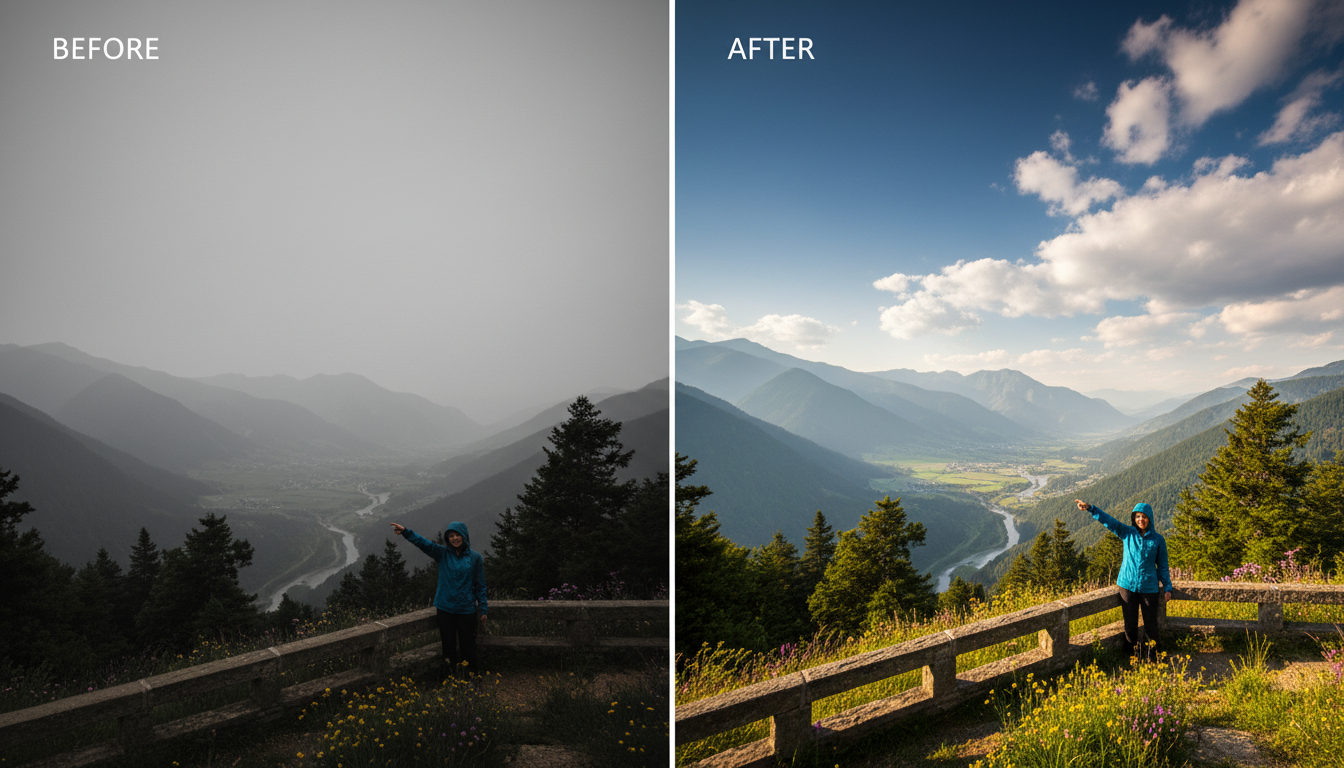
With today's sky replacement AI, the process is delightfully simple: you just upload a picture and describe what you want to remove or replace. For example, if you want to change a gloomy background to a bright blue sky, you just say what you want. The AI automatically processes everything for you, and it guarantees that the generated effects are entirely natural and crystal clear.
The Secret Sauce: Haimeta and the Nano Banana Model
Now, I promised to keep things conversational, so we are not going to dive into complex technical solutions, confusing algorithms, or boring data flows. You do not need an engineering degree to understand why this tool works so brilliantly.
All you need to know is this: Haimeta integrates the absolute latest Google image generation model, known as the Nano Banana series.
This specific model is the powerhouse behind the scenes. It is the reason why the edges around complex objects (like a cathedral's spire or the leaves on a palm tree) remain incredibly sharp. It is also the reason why the lighting in your new sky perfectly matches the lighting in your foreground. The Nano Banana series understands context, lighting, and depth in a way that previous generations of AI simply could not. When you use Haimeta, you are tapping into this cutting-edge technology effortlessly.
Step-by-Step Guide: How to Use Sky Replacement AI
Are you ready to turn those gray skies blue? Let us walk through the simple, step-by-step process of using the Haimeta Editor created by Haimeta to achieve stunning, natural results.
Step 1: Upload Your Photograph
The first step is as easy as it gets. Head over to the Haimeta platform and upload the photo you want to edit. Whether it is a real estate exterior shot, a travel selfie, or a landscape portrait, the AI can handle it. For the best results, ensure your image is relatively high resolution, as this gives the AI more detail to work with when generating a clear, natural output.
Step 2: Tell the AI What You Want
This is where the magic of the Nano Banana model truly shines. You do not need to click on magic wands or lasso tools. You simply describe what you want to replace.
Type in a natural, conversational prompt. For example:
- "Replace the gray sky with a vibrant blue sky with fluffy white clouds."
- "Change the background to a dramatic, fiery sunset."
- "Make the sky a clear, starry night."
Just say what you want! The AI is designed to understand human language perfectly. You are the director, and the sky replacement AI is your highly skilled production team.

Step 3: Let Haimeta Automatically Process the Image
Once you hit enter, sit back and relax. You do not need to adjust color balances or tweak lighting curves. Haimeta automatically handles all of that. It isolates the old sky, generates the new one based on your prompt, and—most importantly—harmonizes the entire image so the transition looks 100% natural and clear.
Step 4: Review, Save, and Share
In a matter of seconds, your new image will be ready. You will immediately notice how clean the horizon lines are and how seamlessly the new sky blends with the original photograph. Save your high-resolution image and it is ready to be shared on your blog, social media, or professional portfolio.
Real-World Scenarios Where Sky Replacement AI Shines
To truly appreciate the power of this technology in 2026, let us look at a few common scenarios where sky replacement AI can be an absolute lifesaver.
1. Travel and Lifestyle Photography
When you are traveling, you are at the mercy of the weather. If you only have one day to visit the Eiffel Tower and it happens to be pouring rain, your photos will reflect that gloom. By using Haimeta's sky replacement AI, you can salvage those memories. A simple prompt to add a bright, sunny blue sky can turn a dreary travel snapshot into a vibrant, frame-worthy memory.
2. Real Estate Listings
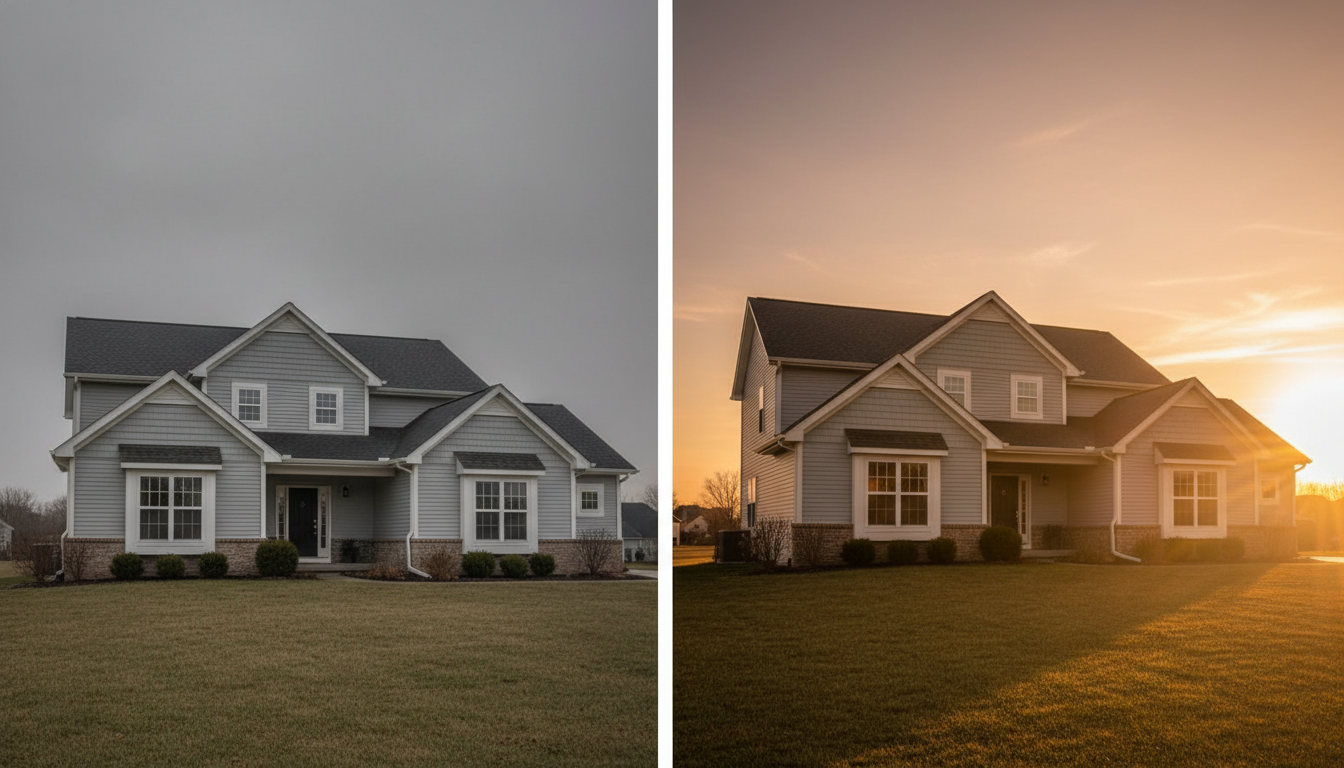
If you work in real estate, you know that the curb appeal of a property is heavily influenced by the photography. Homes photographed under a gray, overcast sky look uninviting. By utilizing sky replacement AI, real estate agents can guarantee that every exterior shot features a warm, welcoming sky, potentially increasing buyer interest and perceived property value. The natural, clear results produced by the Nano Banana series ensure that the photos never look fake or over-edited.
3. Wedding and Event Photography
Event photographers cannot reschedule a wedding just because the clouds rolled in. However, the bride and groom will still want magical, romantic photos. With just a few text commands, photographers can replace a washed-out white sky with a stunning golden hour sunset, adding a touch of romance and drama to the couple's special day.
Pro Tips for Getting the Most Natural Results
While Haimeta does the heavy lifting for you, keeping a few best practices in mind will ensure your photos always look their absolute best.
- Be Specific With Your Prompts: The more detailed you are, the better the Nano Banana model can serve you. Instead of just saying "blue sky," try "a bright blue midday sky with sparse, wispy clouds."
- Consider the Direction of Light: Take a look at the shadows in your original photo. If the shadows suggest the sun is on the left, you might want to ask the AI to generate a sky where the sun (or brightest point) is also on the left. This adds an extra layer of realism to your image.
- Keep it Realistic: While it might be tempting to put a massive, swirling galaxy behind a daytime beach photo, the results will look like digital art rather than a photograph. For the most natural and clear outcome, stick to skies that realistically match the time of day and environment of your original shot.
Conclusion: Embrace the Future of Effortless Editing
As we navigate the creative landscape of 2026, it is clear that AI is not here to replace our creativity; it is here to remove the friction from our workflows. The days of struggling with complex editing software to fix a simple weather issue are completely behind us.
With tools that prioritize user experience and high-quality outputs, anyone can be a master editor. All it takes is uploading an image, describing your vision, and letting the technology do the rest. Because Haimeta is powered by Google's incredibly advanced Nano Banana series model, you can always trust that your final image will be crisp, clear, and perfectly natural.
Stop letting bad weather ruin your perfect shots. Try out the Haimeta Editor created by Haimeta today, just tell the AI what you want, and watch as your photos are transformed instantly. Happy editing!